How to start a faceless Instagram page with AI
Start a faceless Instagram page with AI: pick a niche, create a signature look, make posts and Reels without filming yourself, or give your page an AI avatar.

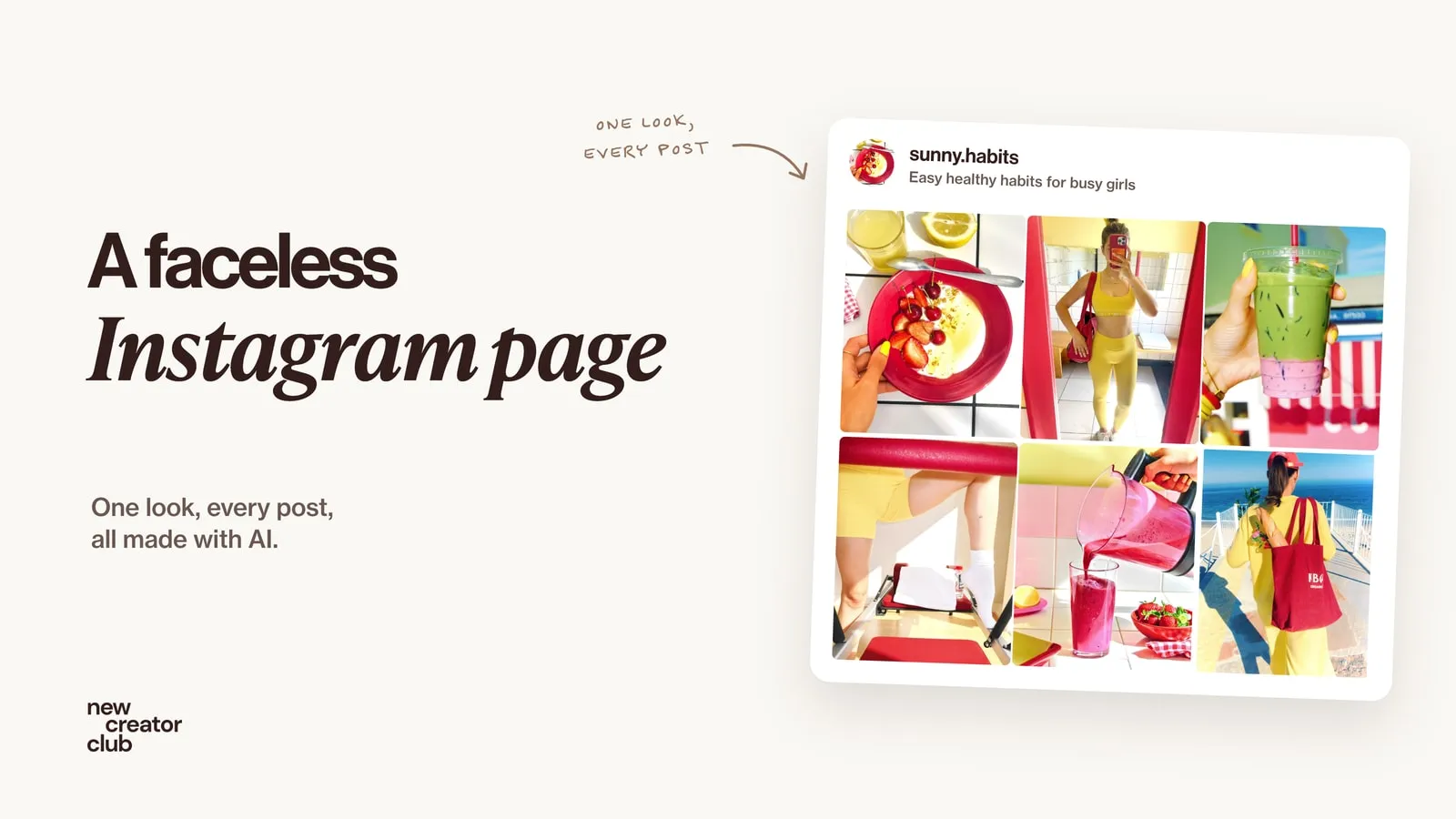
A faceless Instagram page grows without the creator ever showing their face. To start one with AI: choose a narrow niche, design one recognisable look, make images, carousels and Reels in that look with AI, post on a steady schedule, and label AI content where Instagram asks. If you want a face without using yours, give the page an AI avatar.
Not everyone wants to be on camera. Some people are shy, some want privacy, and some want to build something that isn't tied to their face. A few years ago that meant stock photos and quote cards. Now AI lets a faceless page look as polished as a brand with a full production team. Every picture in this guide was made with Higgsfield Soul 2.0 for one invented page, sunny.habits.
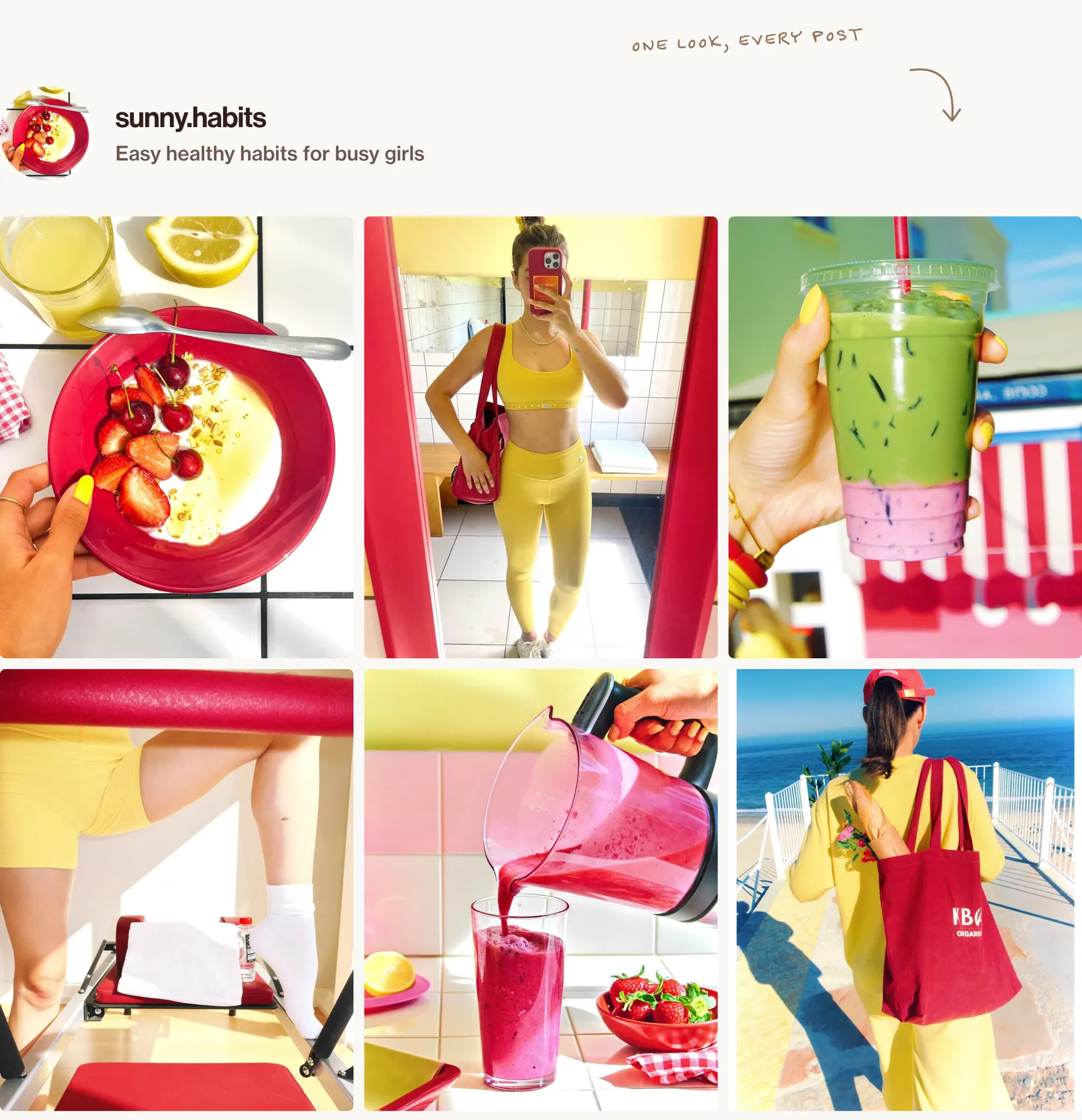
Step 1: pick a niche you can post about 100 times
The biggest mistake with faceless pages is going too broad. "Motivation" or "lifestyle" is crowded and forgettable. A narrow niche gives people a reason to follow you.
A good faceless niche has three things:
- A clear audience: you can describe who it's for in one sentence.
- Endless ideas: you could post about it every day for three months.
- A visual angle: it looks good as images or short videos.
Niches that work well with AI:
- Easy healthy habits: breakfasts, workouts, morning routines
- Outfit ideas for one type of person or season
- Dream interiors in one style
- Travel dreams for one region
- Skincare and beauty routines explained visually
- Small business tips, told through stories and carousels
Write your niche as one line: "Easy healthy habits for busy girls." That line decides every post.
Step 2: design a signature look
Faceless pages grow when people recognise a post before they read the name. Decide on your look once and use it every time:
- Two or three colours that always appear (here: cherry red and butter yellow)
- One kind of light: hard morning sun, golden hour or bold flash
- One camera feel: iPhone snapshot, clean editorial or cinematic
- One recurring element: the same red bowl, the same nails, the same tote bag
Save all of this in a note and reuse it in every prompt, so your pictures stay consistent.
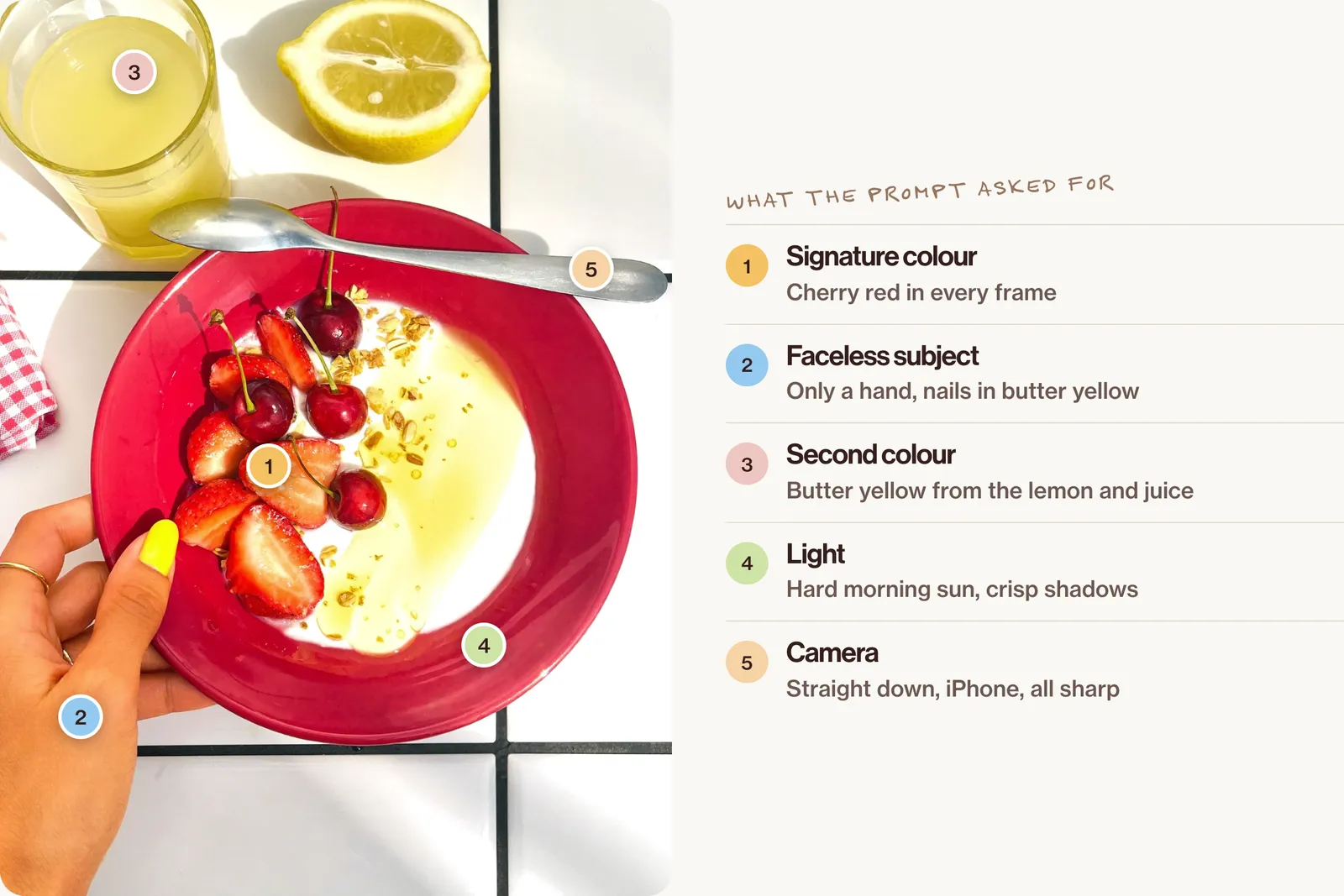
Prompt to set your look (paste into Higgsfield Soul 2.0, then keep the result as your reference):
A top-down iPhone photo of a breakfast bowl on a white tiled kitchen counter in hard morning sun. A cherry-red ceramic bowl holds thick Greek yogurt topped with sliced strawberries, fresh cherries with their stems, a drizzle of golden honey and a sprinkle of granola. A woman's hand with a thin gold ring and short butter-yellow nails rests a silver spoon on the rim; only the hand and wrist are in frame, no face. Beside the bowl lie a halved lemon, a small glass of fresh orange juice and a folded red gingham napkin. Strong direct sunlight from the upper left throws crisp shadows of the spoon and the glass across the white tiles, with bright reflections on the honey. The palette is cherry red, butter yellow, clean white and warm gold. Shot straight down from above on an iPhone, everything sharp, no blur. The mood is fresh, bright and effortless. HEX VALUES: ["#C8102E", "#E63946", "#F7E27A", "#FFF4C2", "#FFFFFF", "#F2EFEA", "#D9D4CC", "#B5121B", "#8E0F1A", "#F4A259", "#E9C46A", "#C9A227", "#2B2B2B", "#F8F1E5"]Step 3: shoot faceless on purpose
Faceless doesn't mean empty. People still want a person in the frame, just not a face. Three framings do most of the work:
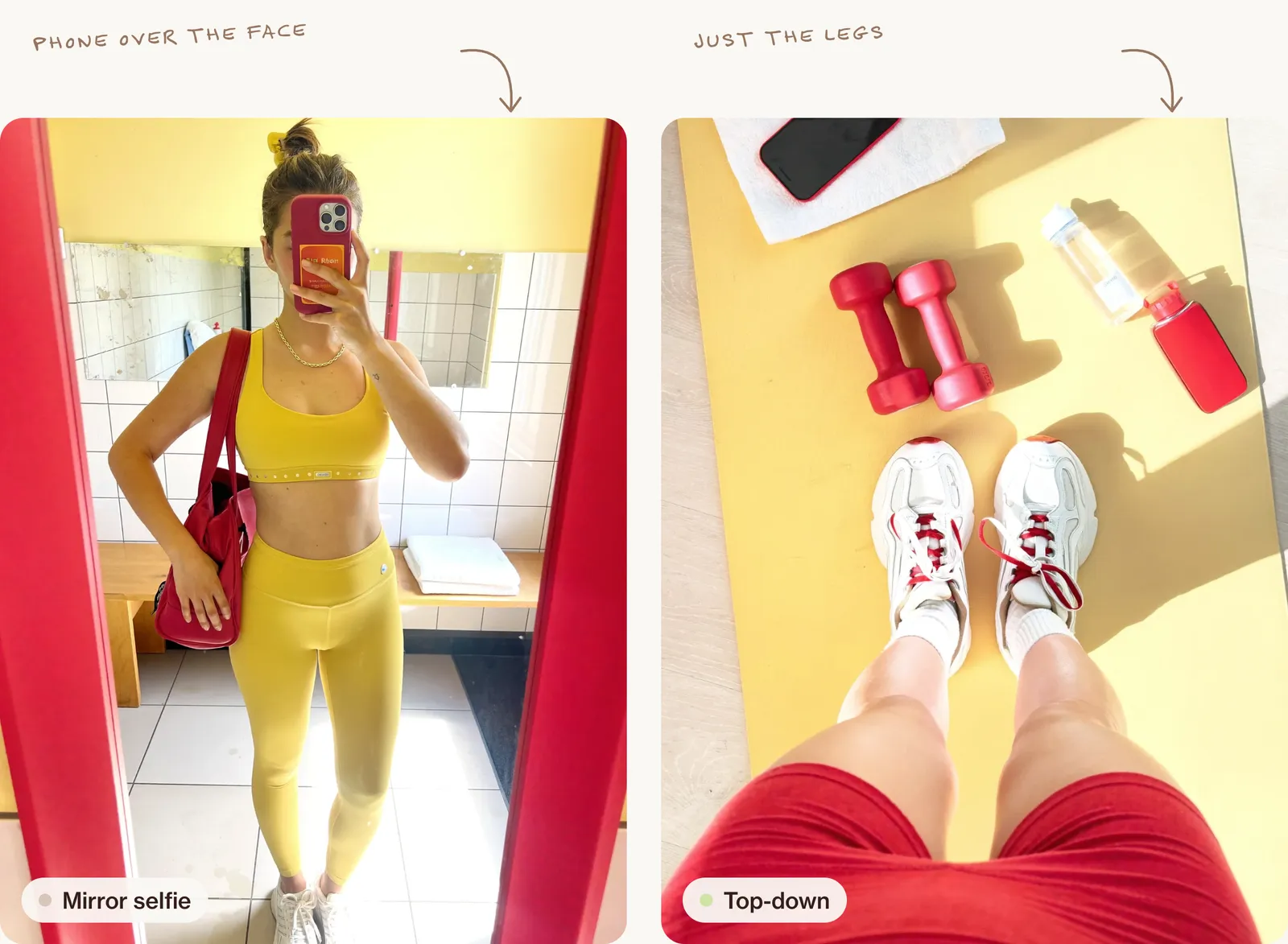
- Hands: holding a drink, slicing fruit, typing, pouring.
- Legs and feet: on a mat, a machine, a beach towel, a street.
- Covered or turned away: a mirror selfie with the phone over the face, or a walk seen from behind.
Step 4: give your page a recurring character
Some faceless pages use a character who is never fully shown: the same outfit, the same bag, the same hair, always from behind. It gives the page a human feel without a face.
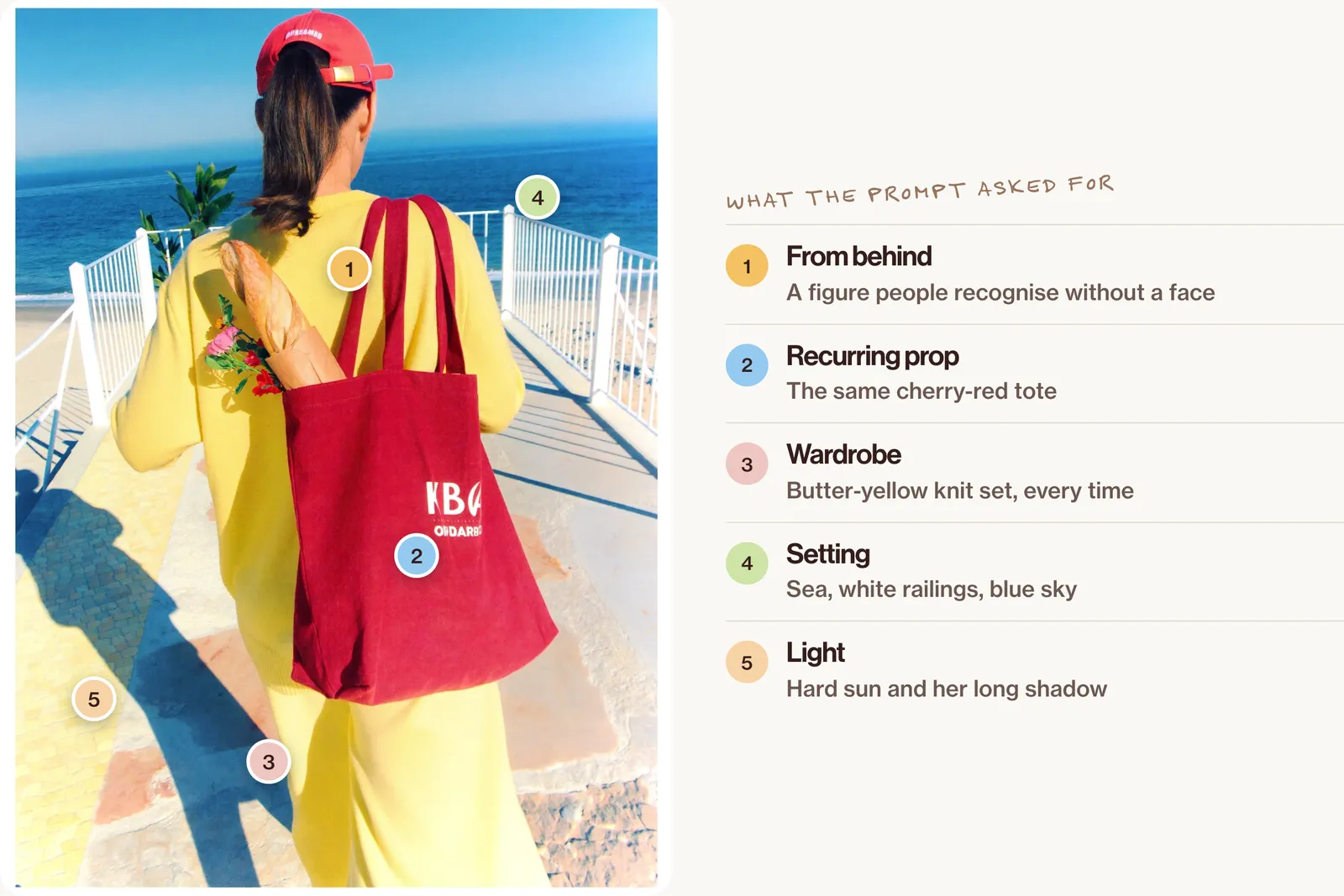
A young woman photographed from behind as she walks along a sunny seaside promenade towards the sea, her face never visible. She wears a butter-yellow matching knit set, white sneakers, a red baseball cap backwards with her dark blonde ponytail pulled through, and carries a cherry-red tote bag with a baguette and a bunch of flowers sticking out. White railings, a pale stone path and a bright blue sea and sky ahead. Hard late-morning sun casts her long crisp shadow on the stones beside her. The palette is butter yellow, cherry red, sea blue, white and pale stone. Shot on an iPhone a few steps behind her, everything sharp, no blur. The mood is free, sunny and effortless.Keep the same clothes, hair and colours each time and she becomes part of your brand.
Or: use an AI avatar instead of your face
There's a middle way between showing your face and staying faceless: an AI avatar. You design an invented person, keep her face the same in every post, and she becomes the face of the page. Your own face never appears.
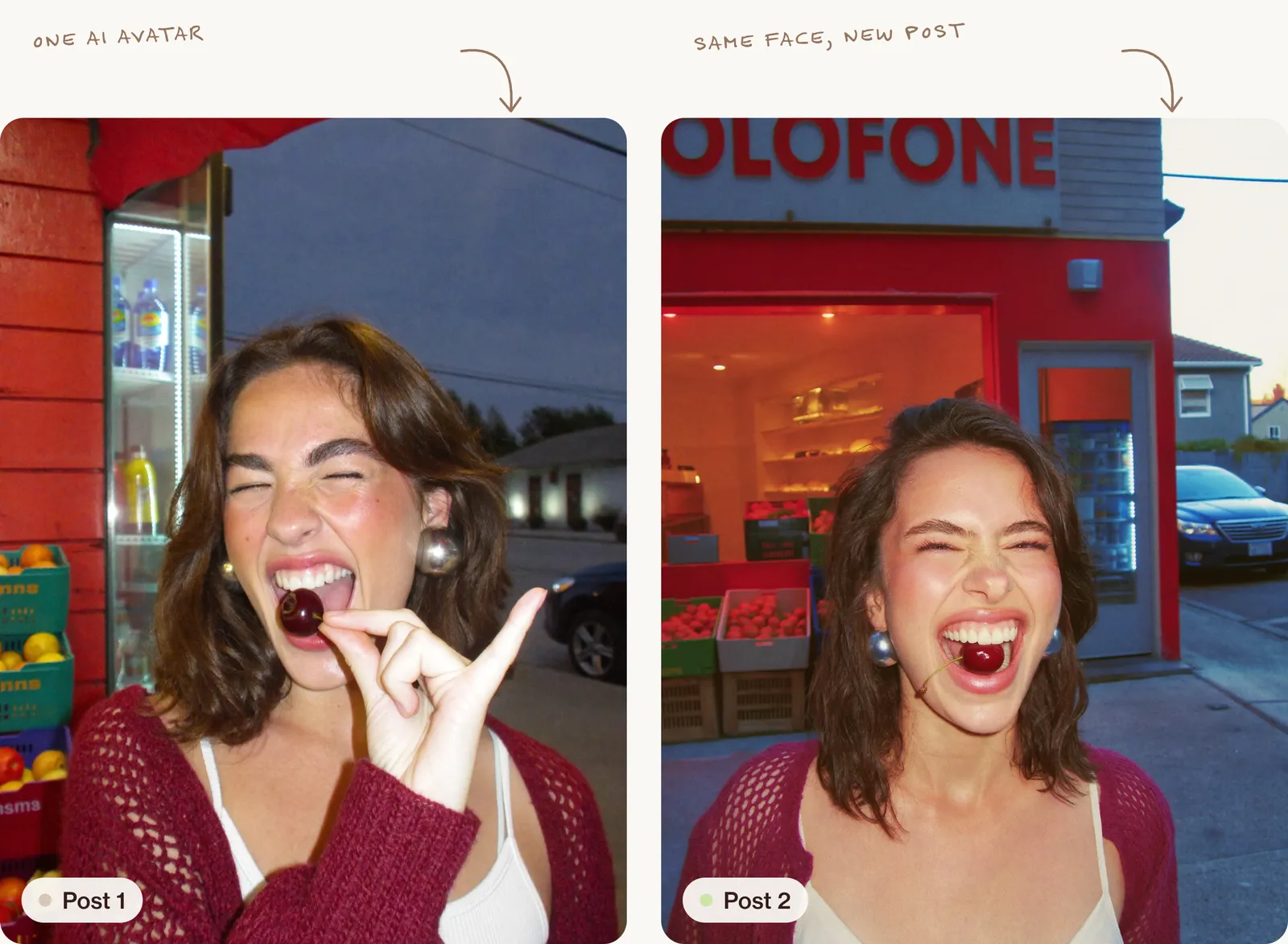
You can design almost any face, style and personality. These three were all made with Soul 2.0:
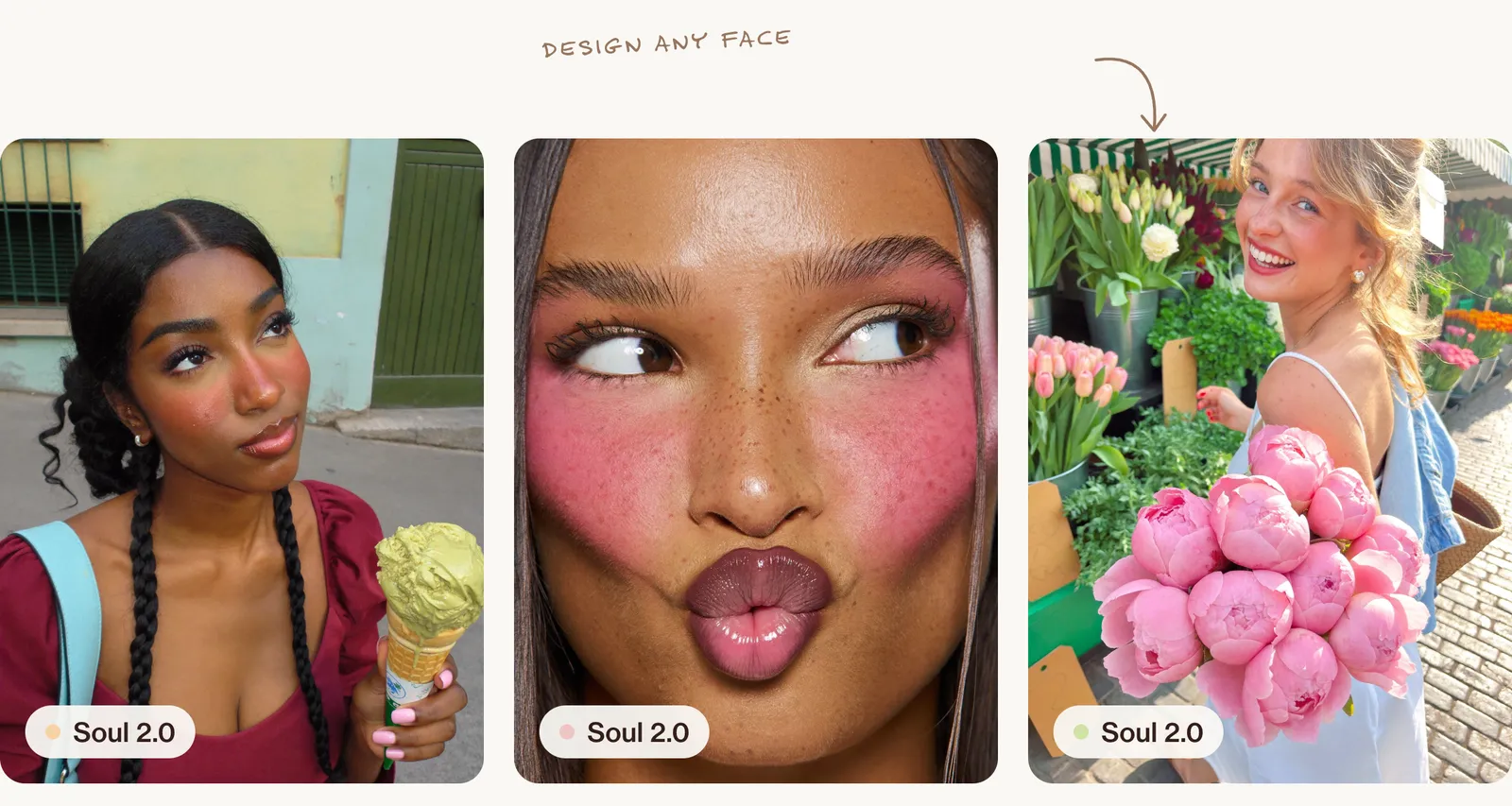
Two things matter: keep one face (save a reference and reuse it with every prompt), and be open that she is AI. For the full method, read How to create an AI influencer people actually follow.
Step 5: decide your content mix
Mix three types of post:
1. Scroll-stoppers (single images). One striking image that makes people stop. These bring in new followers through Explore.
2. Save-worthy carousels. "5 breakfasts under 5 minutes", "Before and after", "Steal this routine". Carousels get saved and shared, which tells Instagram your content is useful.
3. Reels. Short videos made by animating your AI images, with text on screen and a voiceover or trending sound. Reels bring the most reach.
A simple weekly plan:
| Day | Post |
|---|---|
| Monday | Carousel: a useful tip or list |
| Tuesday | Reel: one image animated with text on screen |
| Wednesday | Scroll-stopper image |
| Thursday | Carousel: before and after |
| Friday | Reel: three images, one idea |
| Weekend | Stories: polls, questions, behind the scenes |
Step 6: turn images into Reels
You don't need to film anything:
- Make a strong image in your look.
- Animate it with an AI video tool. Ask for slow, simple movement: a pour, steam rising, light shifting.
- Add a hook on screen in the first second.
- Add a voiceover (your own voice or an AI voice) or a trending sound.
- Keep your first Reels under 10 seconds.
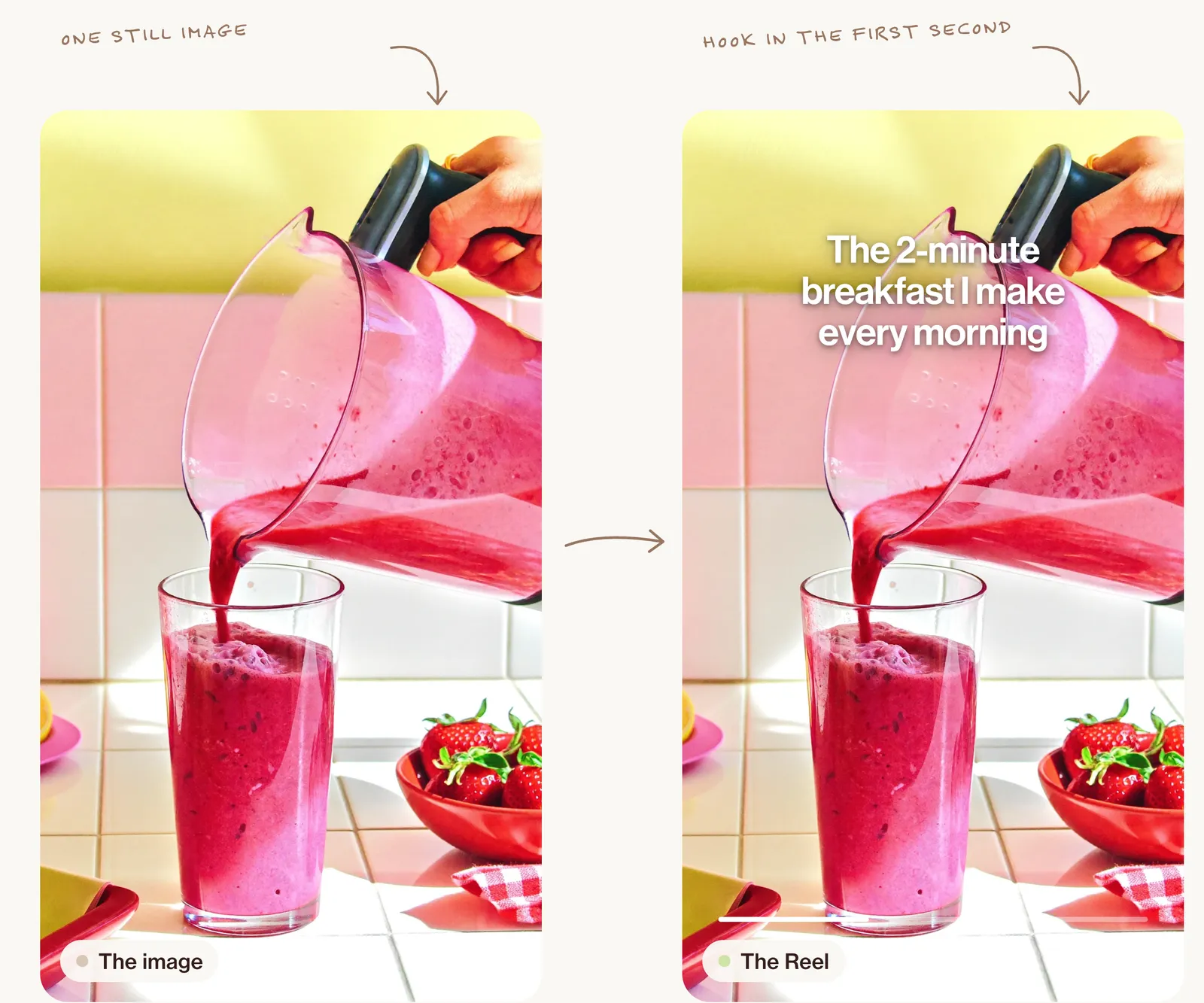
Prompt for a simple animation:
Slow, steady pour of thick pink smoothie from the blender jug into the glass, the smoothie folding and rising in the glass, a few bubbles forming on top, sunlight sparkling on the glass, the hand stays steady, no face, realistic movement, 5 seconds.Step 7: write captions that do the work
Without a face, your captions carry your personality. Use this simple formula:
- Hook: one short line that makes people curious.
- Value: the tip, story or idea in two or three lines.
- Question or call to action: "Which one would you try?" or "Save this for tomorrow morning."
Use a few specific hashtags that describe your niche rather than huge generic ones.
Step 8: grow it honestly
- Label AI content. Instagram may ask you to add an "AI info" label to realistic AI images and videos. Use it; hiding it can cost you trust.
- Don't pretend AI images are real places or products if people might buy or book something based on them.
- Don't copy other creators' work or use real people's faces without permission.
- Reply to comments and DMs. A faceless page still needs a human behind it.
Turn it into income when you're ready
Once your page has an audience, you can earn from affiliate links to products that fit your niche, your own digital products (see How to sell digital products made with AI), brand collaborations, or by offering your AI content skills to brands. Income isn't certain, and it takes consistency.
Common mistakes to avoid
- Changing style every week. Pick a look and keep it for at least a month.
- Only posting images. Mix in carousels and Reels.
- Plastic AI pictures. Ask for iPhone photos, hard light and real skin. See How to make AI photos look real.
- Giving up after two weeks. Most pages need two or three months of steady posting to find their feet.
FAQ
Can you really grow on Instagram without showing your face?
Yes. Many large accounts in food, fitness, fashion, interiors and education are faceless. What matters is a clear niche, a recognisable look and steady posting.
What AI tools do I need for a faceless page?
An image tool (like Higgsfield Soul 2.0, ChatGPT or Nano Banana), a video tool to animate your images, and a simple editor for text and sound. Most have free tiers to start.
Is an AI avatar still a faceless page?
Your own face never appears, so for your privacy, yes. For your audience it isn't faceless: it has a face, just an invented one, and you should say clearly that she is AI.
Do I have to say my content is made with AI?
Instagram may ask you to label realistic AI content, and it's good practice to be open about it. Honest pages build more trust.
How long does it take to grow a faceless page?
It varies a lot by niche and consistency. Plan for at least two or three months of regular posting before judging results.
Go further
A faceless page is a look, a rhythm and a few good prompts. Inside New Creator Club you learn faceless content, AI avatars and Reels step by step, with a community to give you feedback. Start creating.
Keep reading
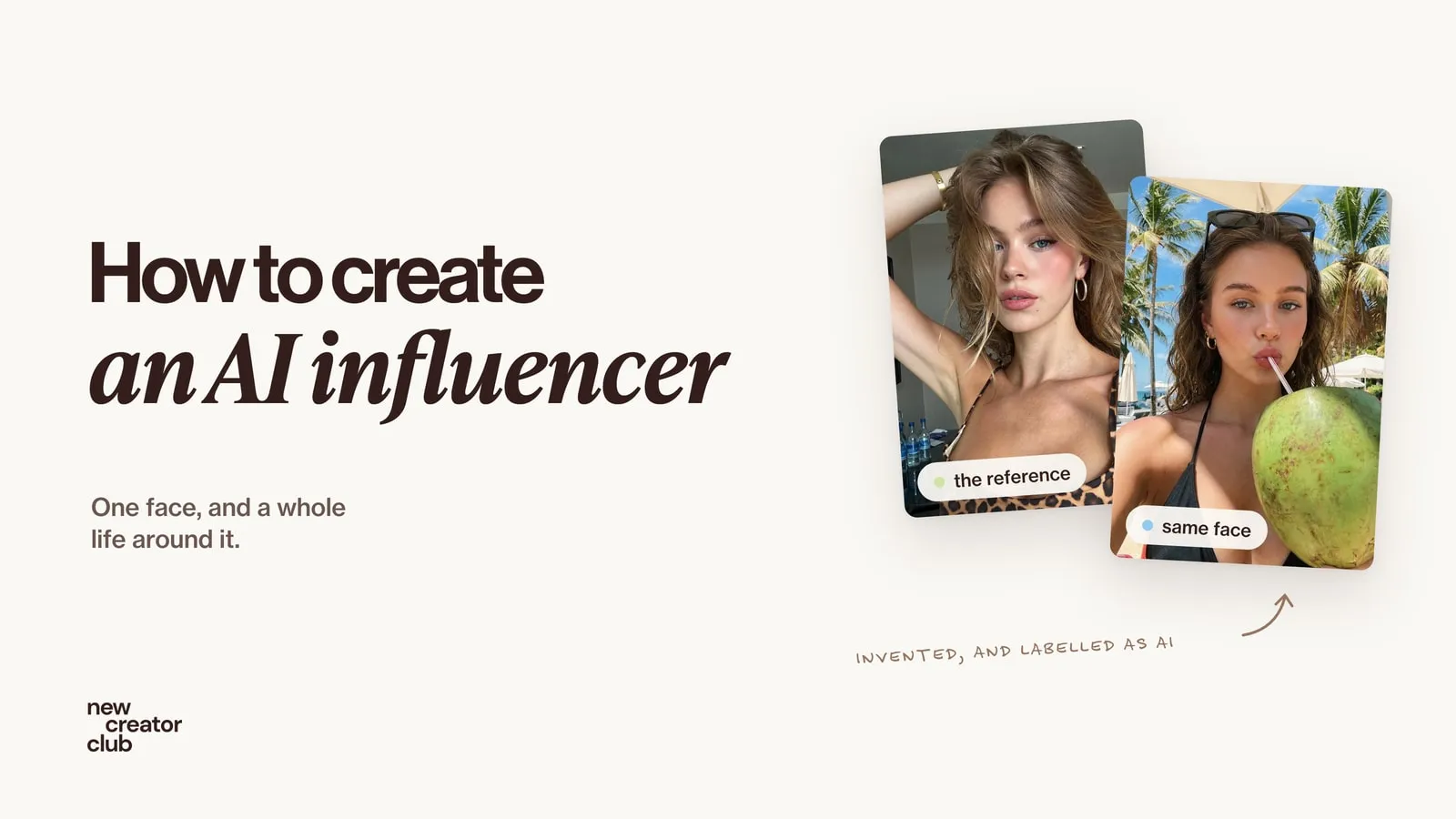
How to create an AI influencer people actually follow
How to create an AI influencer step by step: design one face, keep it the same in every scene, give her a believable life online, and label it honestly.
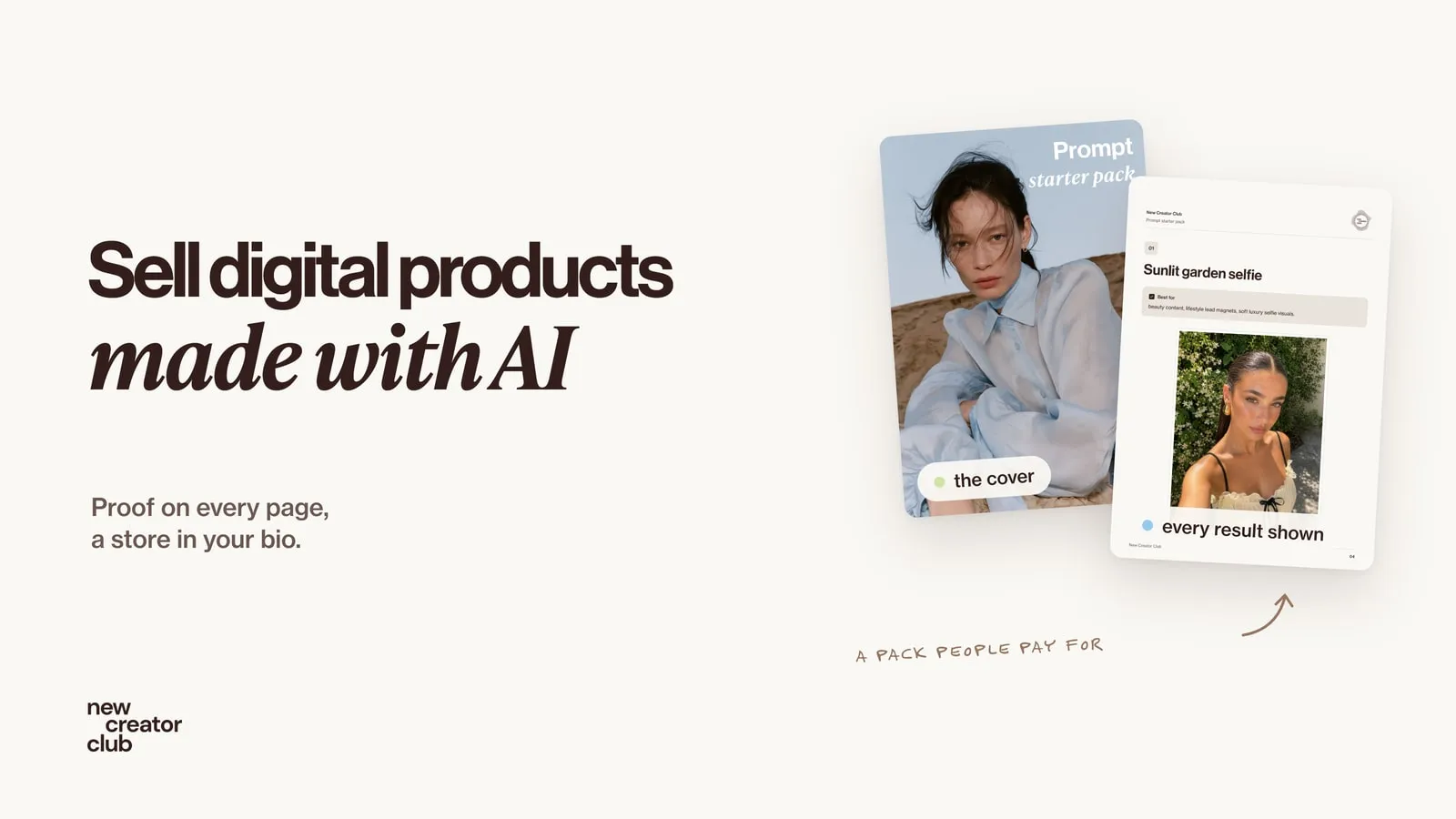
How to sell digital products made with AI
How to sell digital products made with AI: what people actually buy, how to build a prompt pack worth paying for, and Stan Store vs Gumroad vs Beacons.
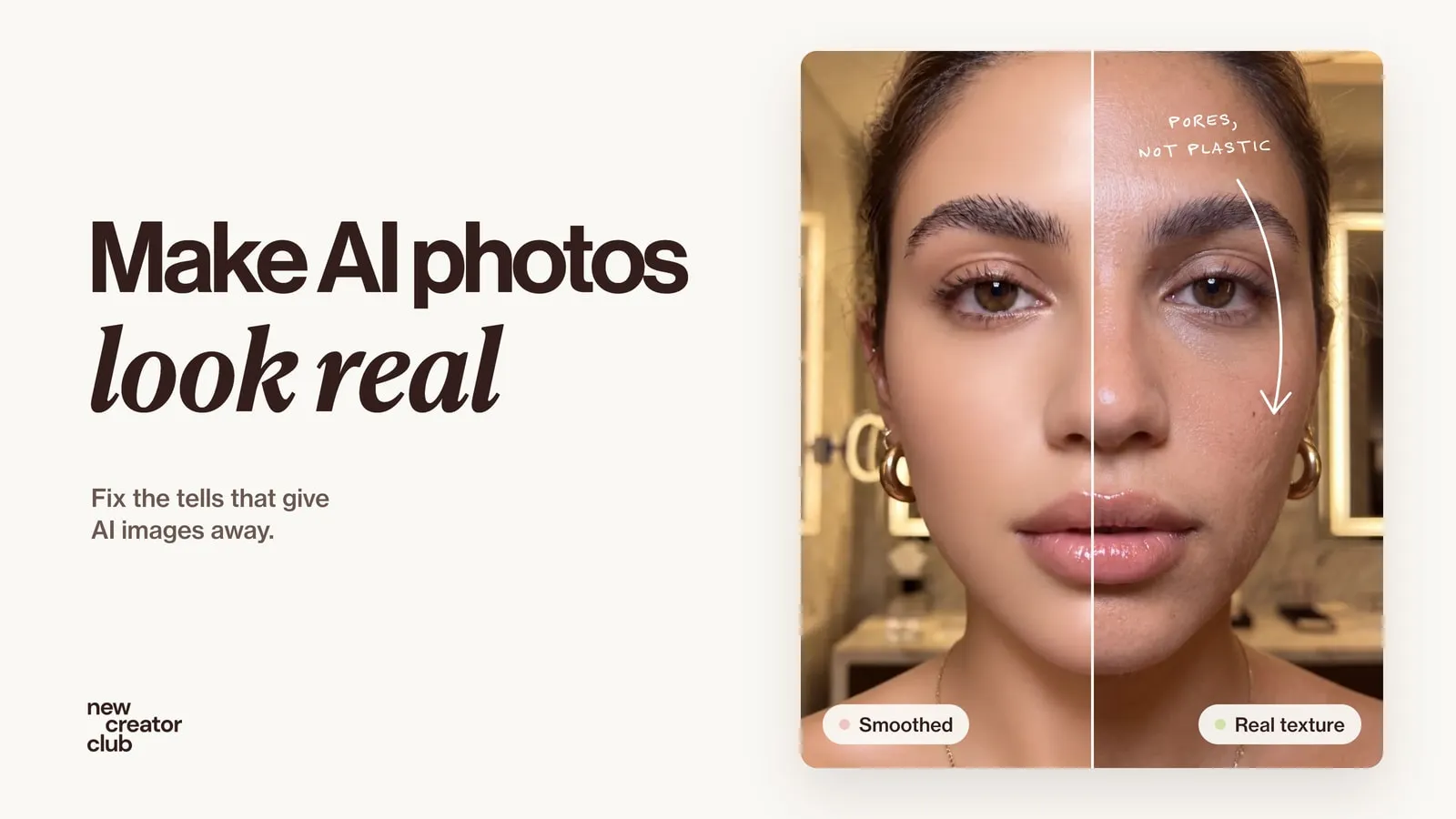
How to make AI photos look real
How to make AI photos look real: why they look fake, and the exact prompt change that fixes each tell, from plastic skin to impossible light.