AI product photography: one packshot, a full studio shoot
AI product photography from one packshot: a full studio shoot that keeps the label and colours true, with a worked example, the prompts and the checks.

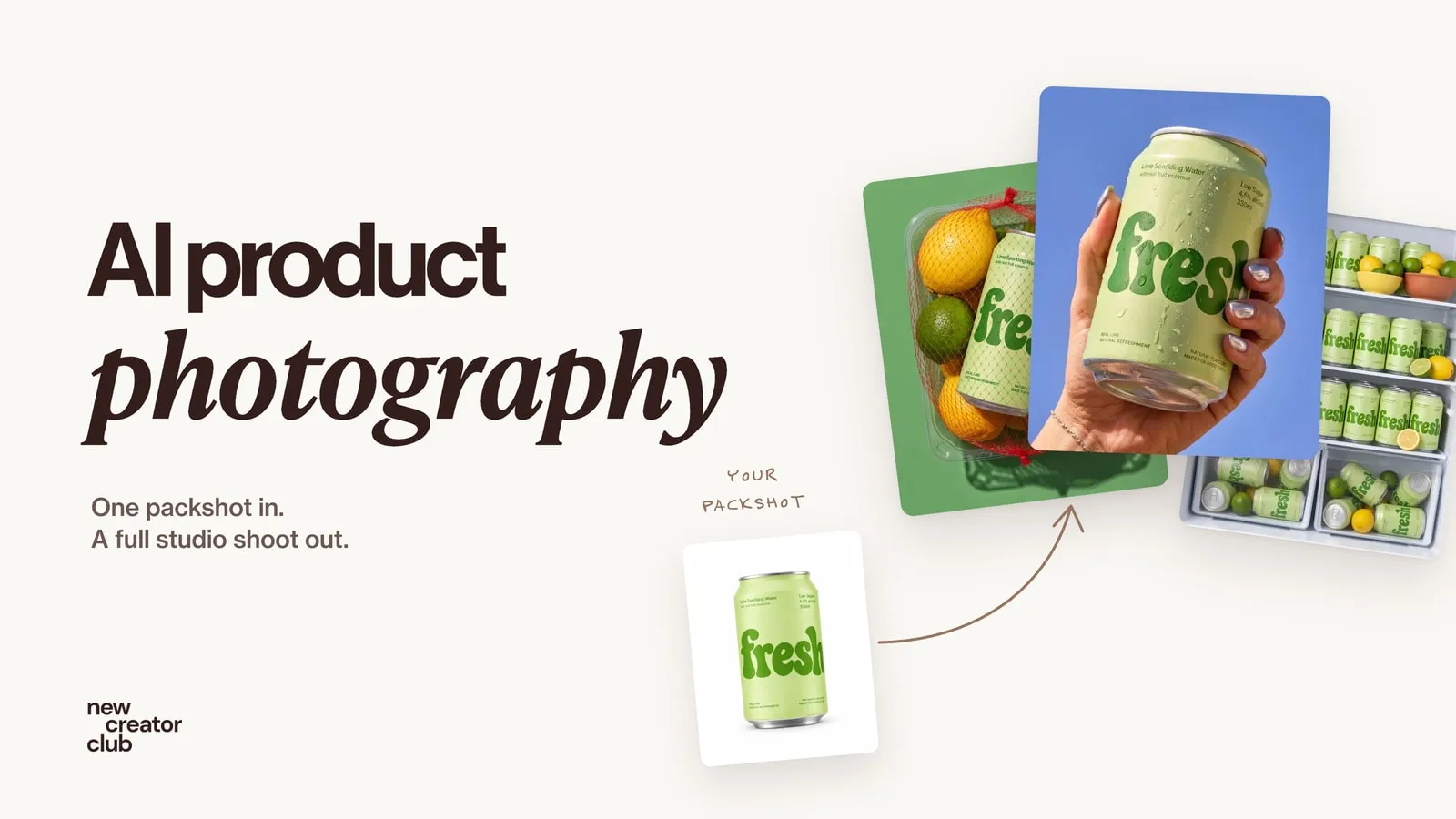
AI product photography means using image models to create product photos, from studio packshots to lifestyle scenes, hands and models, starting from a reference image of the real product. The reliable workflow: start from one clean packshot, write one fixed product description, plan the shoot as a set of frames, generate each frame from the reference, and check every image against the real product before you publish.
A studio shoot for one product usually means a photographer, a set, props and a day of work. With AI product photography, one clean packshot can become a whole campaign: the product on ice, in a hand against the sky, filling a fridge, on a model. The hard part is not making pretty pictures. It is keeping the product exactly the product, frame after frame. This guide shows the workflow, a worked example and the checks to run before anything goes live.
What is AI product photography good for?
AI product photography is excellent for some jobs and the wrong tool for others.
| Use | AI | A real photo |
|---|---|---|
| Campaign and social images | Great: many scenes from one product | Slower and more expensive |
| Seasonal and mood variations | Great | Possible, needs a reshoot |
| Testing ad concepts before a shoot | Great | Too slow for testing |
| The main product-page image | Only if it matches the real item exactly | Usually the safer choice |
| Size, fit, texture a buyer relies on | Risky | Yes |
A sensible approach for most brands is both: real photos where buyers judge the product, AI for the variety around it.
Step 1: Start from one clean packshot
Everything depends on the reference. A good packshot shows the product straight on, evenly lit, label facing the camera, on a plain background. If you sell a physical product, photograph it yourself: a phone in daylight next to a window is enough. Take the front, a three-quarter view and the back.
A sharp, honest reference is the single biggest thing you can do to keep labels and colours true.
Step 2: Write the product sentence once (and never change it)
Describe the product in one sentence, as precisely as you can, and paste that sentence word for word into every prompt. For the can in our example:
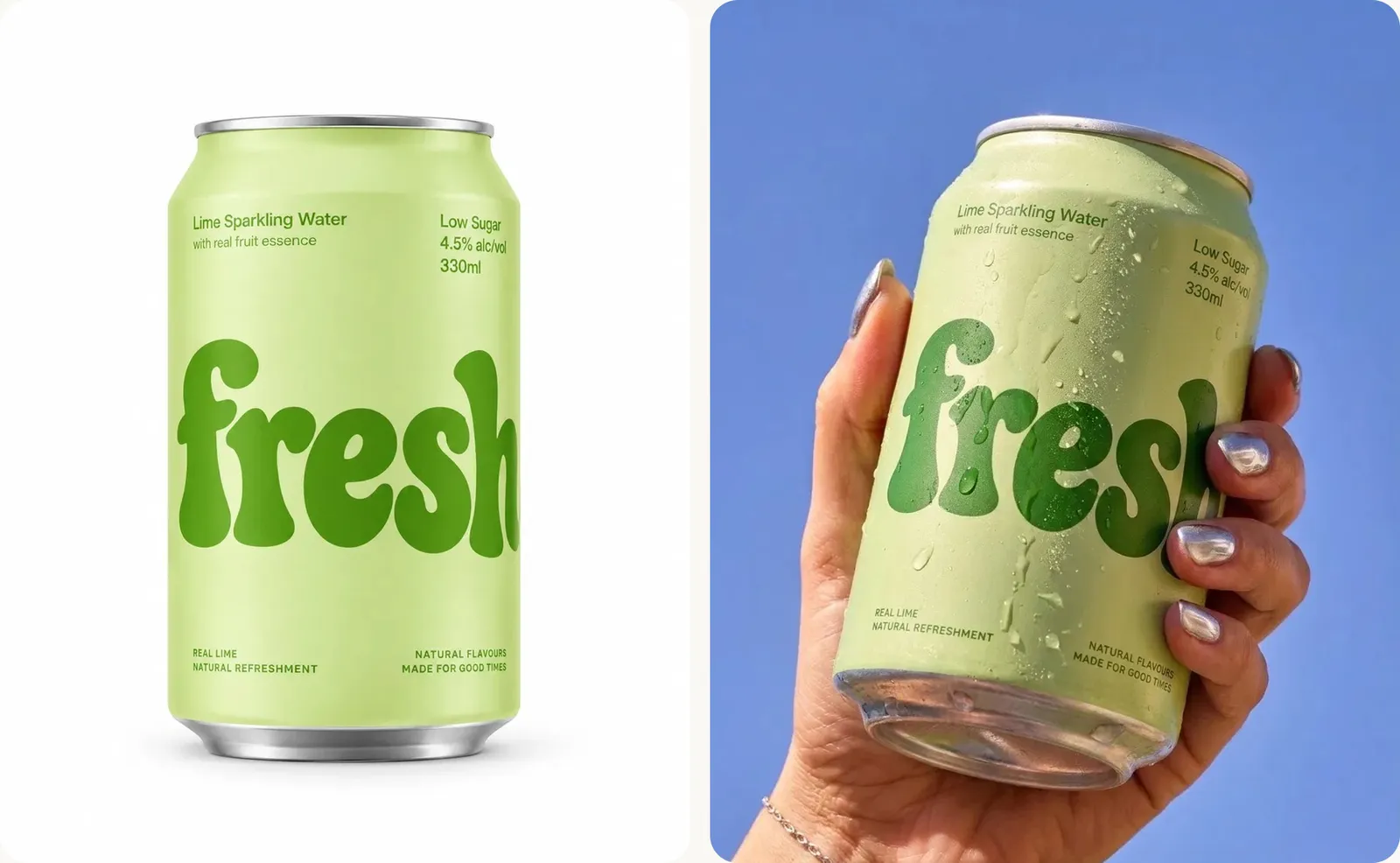
A 330 ml slim aluminium can in pale lime green with a matte finish, a large dark-green bubbly "fresh" wordmark running up the front, small dark-green text reading "Lime Sparkling Water" at the top, a silver ring-pull lid.Changing the wording between frames is one of the quickest ways to make a product drift. Add one more line to every prompt: "Keep the product's shape, colours, label and proportions exactly as in the reference."
Step 3: Plan the set before you prompt
A campaign is a set of frames that belong together, not a pile of nice images. Plan it like a real shoot. A dependable arc:
- Hero: the product alone, clean.
- Material or ingredient: what it's made of or tastes of.
- In hand: scale and a human touch.
- A surprising but believable prop: the frame people remember.
- Abundance: many of it, in a fridge, a shelf, a pile.
- In a life: a place or a person.
Then write the shoot's brief once, in the eight decisions we use for every prompt (explained in AI image prompts that look like real photos). Only the art direction line changes from frame to frame.
Step 4: Generate frame by frame from the reference
For each frame, attach the packshot, paste the brief and swap in that frame's art direction. When a frame is close but not right, edit it rather than starting again; Nano Banana prompts covers this kind of editing.
Worked example: an AI product photoshoot from one packshot
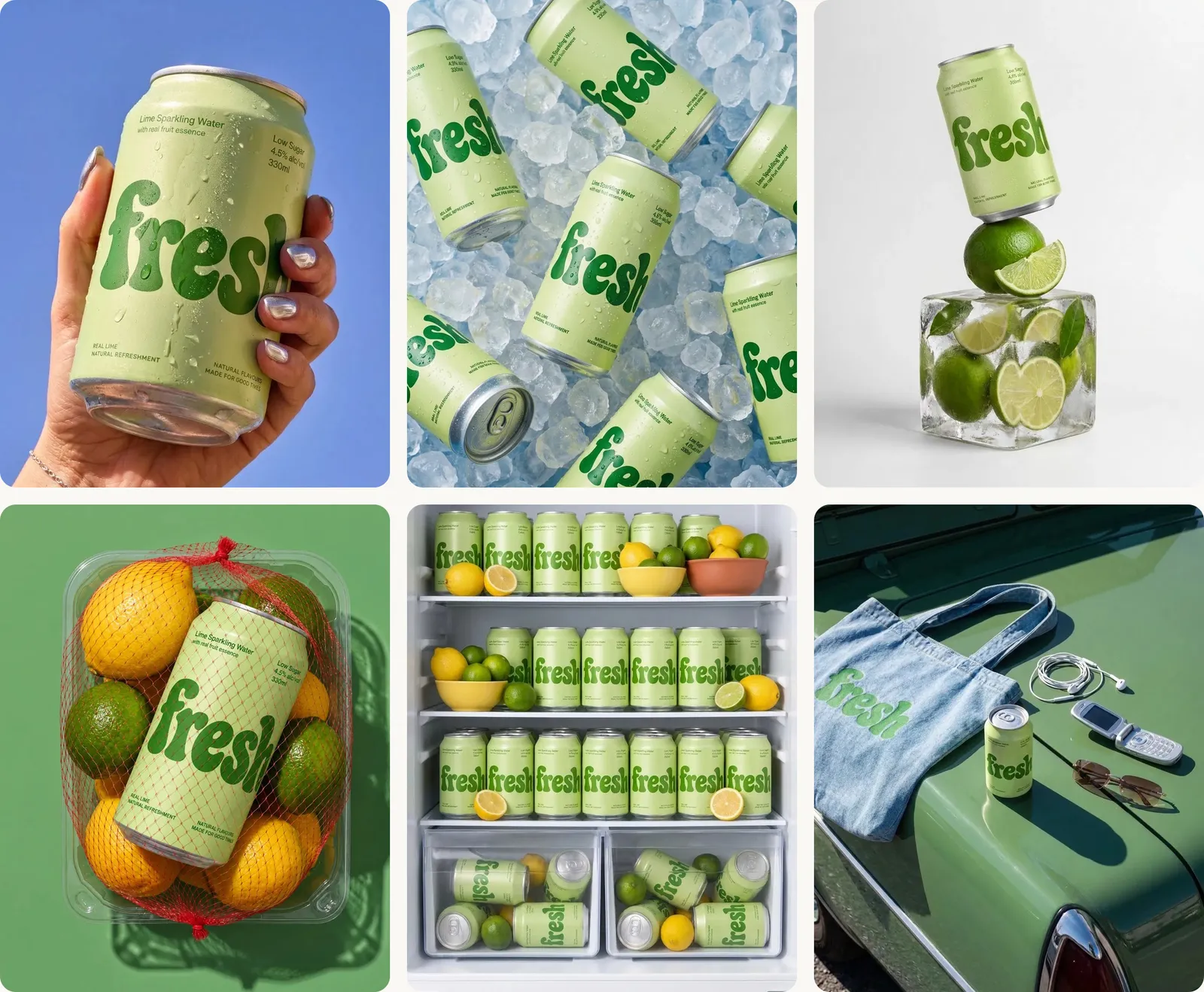
fresh is an invented sparkling-water brand made for demos. The set below shows what a finished AI product photoshoot can look like when every frame shares one brief.
The brief
This is a brief written for this article in the eight decisions. It shows the kind of brief that produces a set like this; it is not the prompt that made these exact images.
| Decision | fresh |
|---|---|
| Creative direction | A bright summer campaign for a lime sparkling water, playful and cold |
| Art direction | One can, a different situation in every frame, one surprise per frame |
| Product material | The product sentence above, unchanged |
| Palette | Lime green, dark green, ice white, sky blue, citrus yellow |
| Lighting | Hard, direct sun or flash, crisp shadows, light catching the condensation |
| Photography | Commercial still life, 4:5, straight on or straight down |
| Mood | Fresh, sunny, a little cheeky |
| Post-processing | Clean, saturated but true colour, crisp detail, no glow |
Creative direction: a bright summer campaign for a lime sparkling water, playful and cold. Art direction: [this frame's line]. Product material: a 330 ml slim aluminium can in pale lime green with a matte finish, a large dark-green bubbly "fresh" wordmark running up the front, small dark-green text reading "Lime Sparkling Water" at the top, a silver ring-pull lid. Keep the product's shape, colours, label and proportions exactly as in the reference. Palette: lime green, dark green, ice white, sky blue and citrus yellow. Lighting: hard direct sunlight, crisp shadows, light catching the condensation on the can. Photography: commercial still life, 4:5, everything on the can sharp. Mood: fresh, sunny, a little cheeky. Post-processing: clean, saturated but true colour, crisp detail, no glow.The frames
Swap these into the art direction slot, one per image:
- Hero: the can standing alone on a seamless white background, a soft shadow beneath it.
- In hand: a hand with glossy nails holds the can up against a clear blue sky, water droplets on the metal.
- Material: a dozen cans scattered across crushed ice, shot straight down.
- Surprise prop: the can balanced on a clear block of ice with lime wedges frozen inside it, on white.
- Ingredient: the can inside a red net bag of lemons and limes in a clear plastic tub, on a green backdrop.
- Abundance: an open fridge packed with rows of the cans, with lemons and limes on the shelves, shot straight on.
- In a life: the can, a denim tote, earphones and an old phone on the bonnet of a mint-green vintage car in the sun.
The same workflow, a different mood
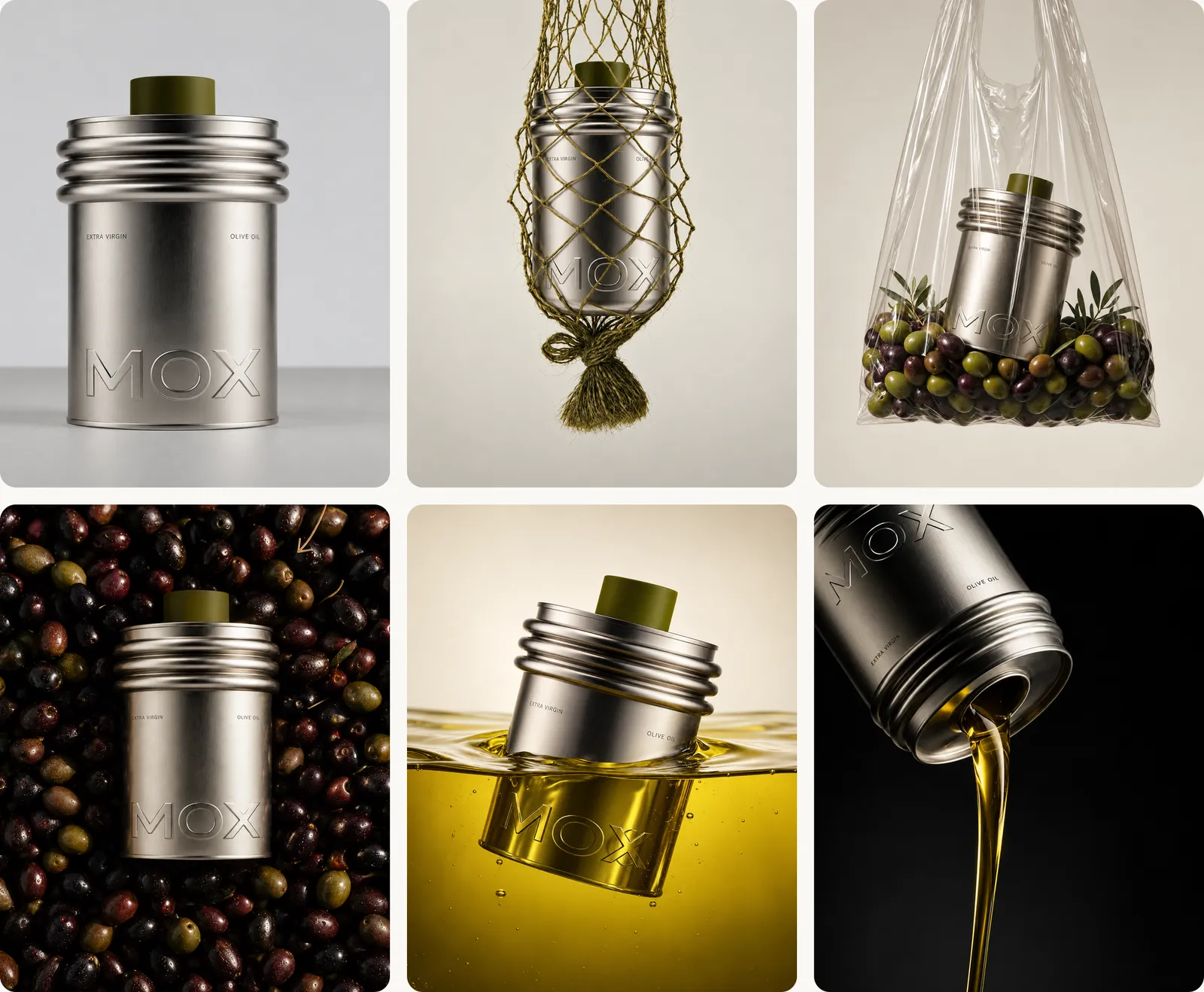
The arc stays the same when the brand changes. MOX is another invented demo brand: an olive oil in a brushed-silver tin. Its brief keeps the product sentence fixed and swaps the palette, light and mood for something quieter: stone and olive colours, soft daylight, a calm, refined feel.
What went wrong and how it was fixed
These are real failures from our own tests with the MOX tin, and what to send next:
| What went wrong | What to send |
|---|---|
| The small print ("Extra virgin", "Olive oil") disappeared from a clean packshot | "Keep everything the same and put back the small text exactly as in my photo, letter for letter." If it still won't, start again from a sharper reference photo |
| One letter of the small print came back broken in a hand shot | "Fix only the word 'Extra' on the tin so it matches my photo exactly. Keep everything else the same." Then check every letter at full size |
| The plain background was swapped for a jumper | Repeat the background in its own message: "Keep the hand and the tin, change only the background back to a plain warm grey wall" |
More side-by-side results are in Nano Banana prompts.
Step 5: Keep the product true
Before any AI product photo goes live, check it against the real product, side by side on the same screen:
- Shape and proportions: the same silhouette, the same lid, cap or handle.
- Label text, letter by letter.
- Logo: the same shape, colour and position.
- Colour: compare with the real item, not your memory of it.
- Size: believable next to hands and props.
- Contents: nothing in the image that doesn't come with the product.
- Claims: the image shows nothing the product can't do.
If a frame fails, fix it in an edit or drop it. For the wider list of tells, see how to make AI photos look real.
AI product photography for free
You can start without paying. Several image tools, including Google's Gemini app and ChatGPT, offer some image generation on free plans, usually with daily limits and sometimes a visible watermark. For a full campaign set you will probably hit those limits, so treat free plans as a way to learn the workflow.
With a model
People sell products. The same brief works with a person in the frame: describe them in the art direction line and keep the product sentence unchanged.
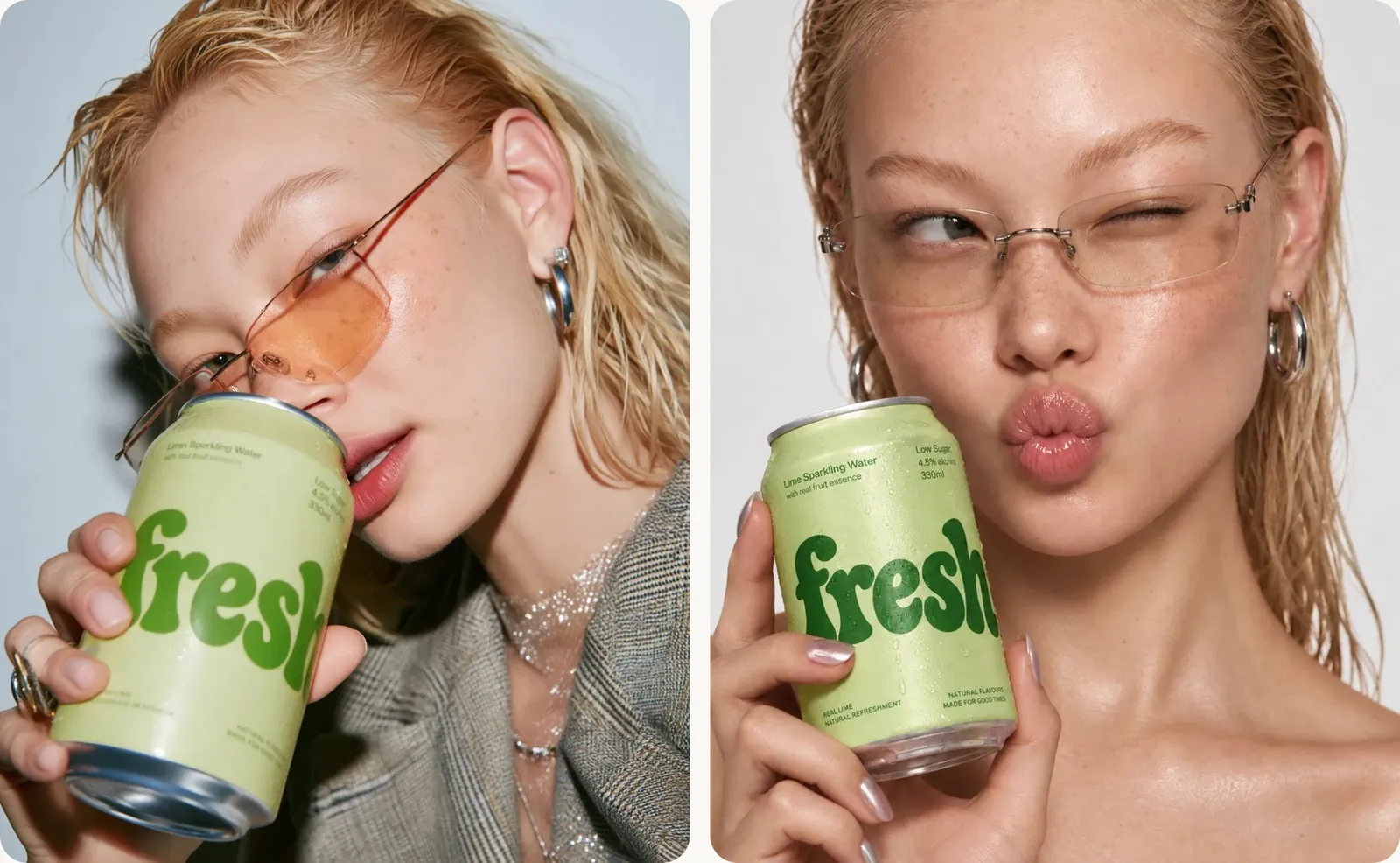
For clothing, where the product is what the model wears, see AI models for your clothing brand. For phone-style content, see AI UGC ads. To turn a set like this into static ads for feed and stories, see AI-generated ads.
FAQ
How do I make AI product photos that look professional?
Start from a sharp packshot, keep one product sentence in every prompt, plan the set, and check each image against the real product.
What's the best AI for product photography?
It depends on the job and changes with each release. Test two or three tools with your own packshot and compare label accuracy first.
How do I keep the label and logo accurate?
Use a clear reference image, describe the label exactly, tell the model to keep it unchanged, and fix any drift with a targeted edit.
Is AI product photography better than a real photographer?
It is faster and more flexible for campaigns and social. A real shoot is still the safer choice for the images buyers rely on to judge the product.
Go further
A packshot is only the first frame. Inside New Creator Club you learn to turn it into campaigns, ads and video with the leading AI tools, and you keep up as they change every month. Start creating.
Keep reading
Nano Banana prompts for editing real photos
Nano Banana prompts for editing real photos: swap backgrounds, relight, add hands and keep products and faces consistent, plus fixes for when edits go wrong.
How to make AI photos look real
How to make AI photos look real: why they look fake, and the exact prompt change that fixes each tell, from plastic skin to impossible light.
AI UGC ads that look real (and stay honest)
How to make AI UGC ads that feel like real phone videos: script, camera look, avatar or creator, B-roll and edit, plus where AI fails and what to disclose.