Nano Banana prompts for editing real photos
Nano Banana prompts for editing real photos: swap backgrounds, relight, add hands and keep products and faces consistent, plus fixes for when edits go wrong.

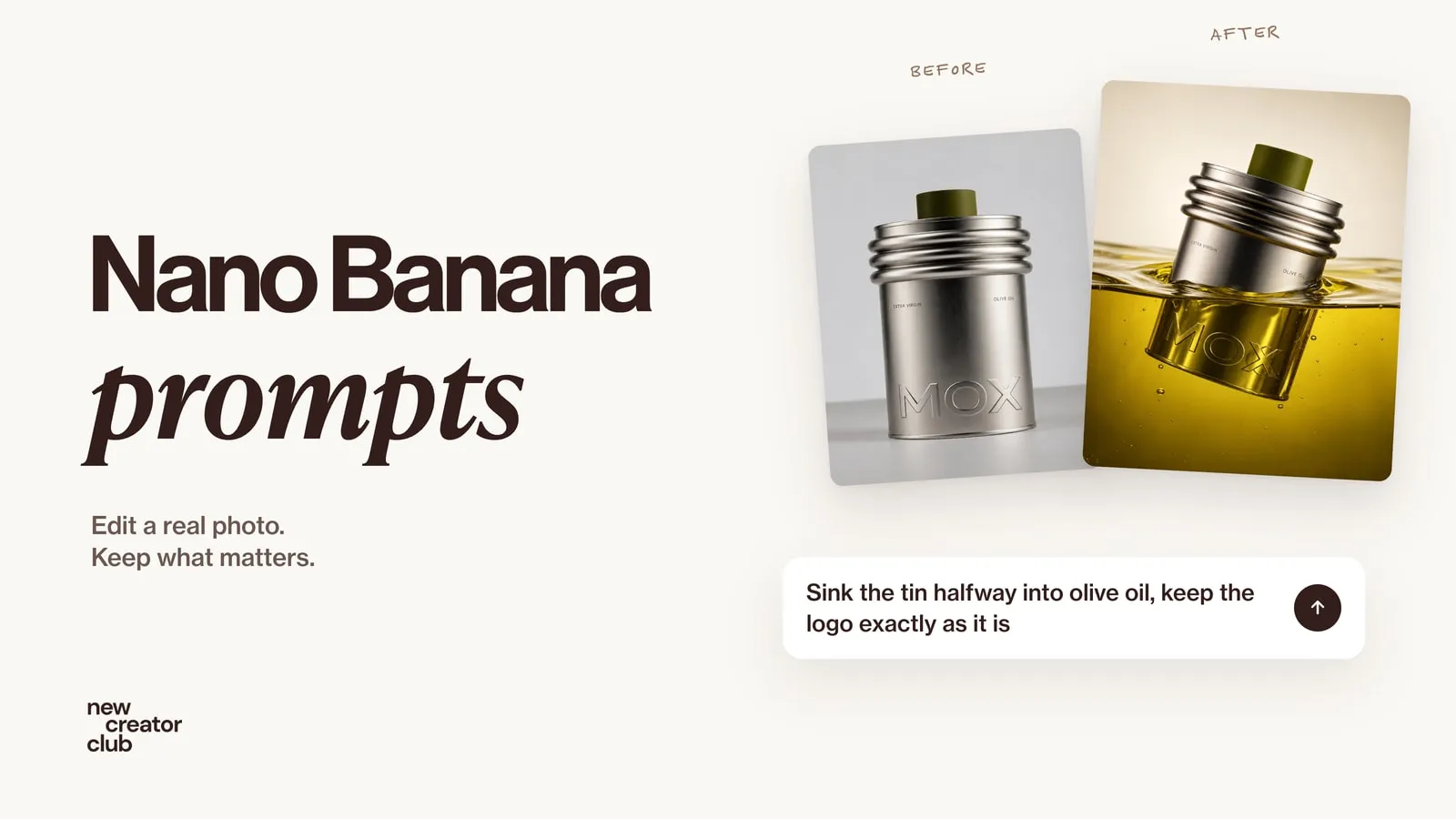
Nano Banana is the nickname for Google's Gemini image models. They are at their best when you edit a photo you upload. The prompts that work name the one change you want, say what must stay exactly the same, and give each reference image a clear role.
Most Nano Banana prompt lists are about generating pictures from nothing. That is not where these models shine. Their strength is editing: taking a real product photo or portrait and changing the background, the light or the scene while keeping the important things exactly as they are. This guide is built around that, with prompts for products, people and multi-image edits, and what to do when an edit goes wrong.
Last tested in the Gemini app in October 2026.
Which Nano Banana is which?
Google has released several image models under the Nano Banana name, and the names in the Gemini app don't always match the names in Google's developer docs.
| Name | What it is | Best for | In the Gemini app |
|---|---|---|---|
| Nano Banana 2.1 | Google's current main image model, released 6 October 2026 | Everyday edits, text in images, keeping things consistent over several edits | With a Google AI plan |
| Nano Banana Pro | Gemini 3 Pro Image, Google's premium image model | The most complex scenes, fine detail, brand consistency | "Redo with Pro" on an image, with a Google AI plan |
| Nano Banana 2 | Gemini 3.1 Flash Image, the previous generation | Being replaced by 2.1 | Free |
| Nano Banana 2 Lite | Gemini 3.1 Flash Lite Image, the fastest and cheapest | Lots of simple images at low cost | Developer API only |
| Nano Banana (original) | Gemini 2.5 Flash Image, the first model | Legacy | No longer the default |
Checked on Google's Gemini API and Gemini app pages on 15 October 2026. Plans and limits change often, so check Google's overview for what your account gets.
How to write Nano Banana prompts that edit well
Google's own prompting guides come back to the same few ideas. Four rules cover most of it:
- Describe a scene, not a list of keywords. Full sentences about light, place and framing work better than tags.
- Change one thing at a time. Background first, then light, then props.
- Say what stays the same. Name the parts that must not change: the product's shape, colour, label and logo; a person's face and hair.
- Give each reference a role. "Image 1 is the product, image 2 is the person, image 3 is the location."
Can you use negative prompts in Nano Banana?
There is no separate negative prompt field. Describe what you want instead of what you don't: "an empty street at dawn" works better than "no cars, no people". Google's guidance recommends this positive framing too.
Nano Banana prompts for product photography
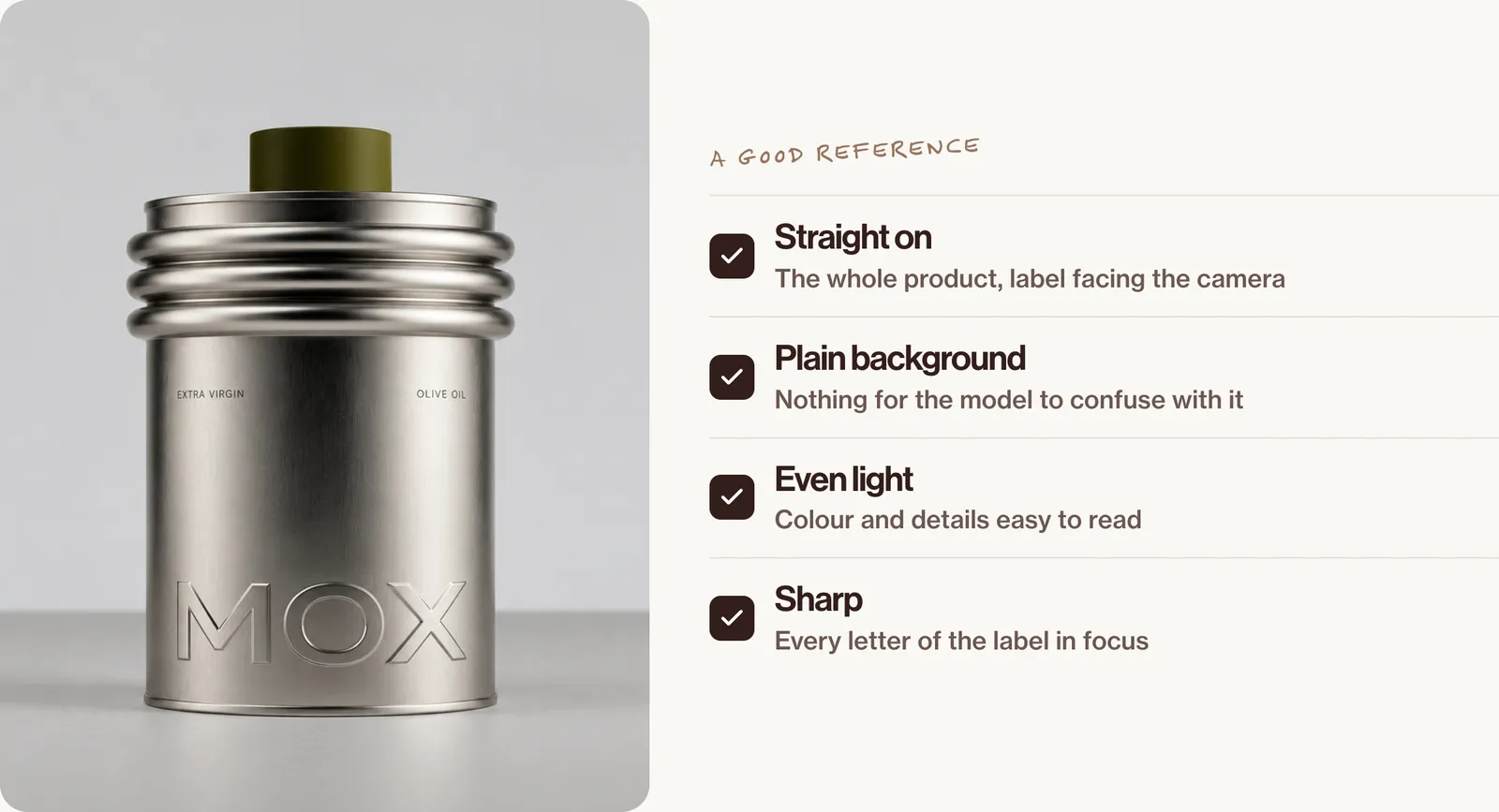
All the edits below start from one clean product photo. We used a tin from MOX, an invented demo brand, so no real brand is shown. Use these only for products and variants that really exist.
1. Phone photo to clean packshot
Turn this phone photo into a clean product packshot. Keep the tin exactly as it is: the same shape, brushed silver metal, olive-green cap and the embossed "MOX" letters. Remove everything else on the table. Place it on a seamless warm-white background with a soft, natural contact shadow under its base. Soft studio light from the upper left. Square format, the tin centred and filling about two-thirds of the height.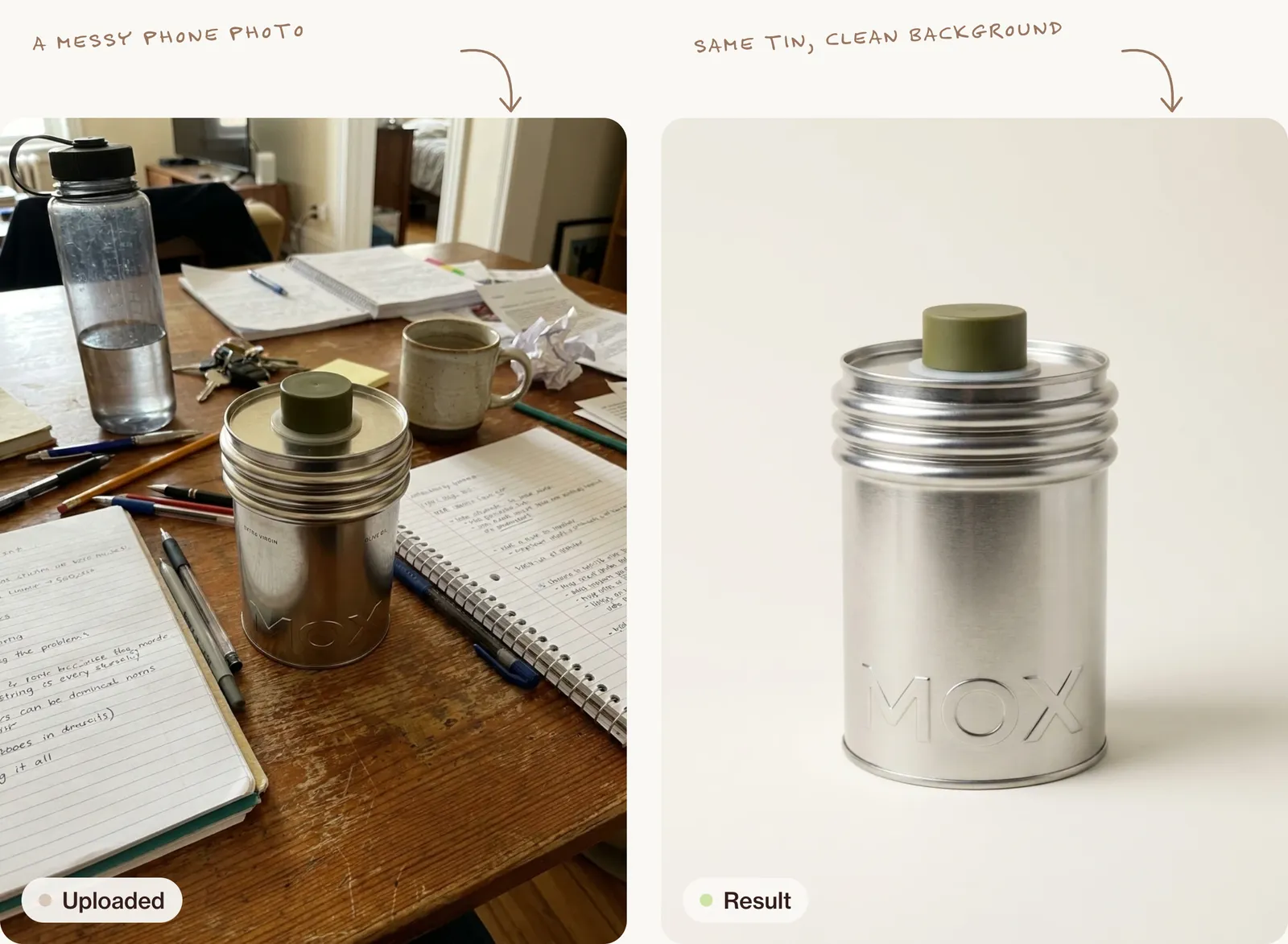
2. A campaign scene: hanging in a rope net
A plain "put it on a nice background" prompt gives a plain result. For a scene worth posting, describe it like a campaign brief, then repeat what must not change.
Using this photo as the exact reference for the tin, show it hanging in mid-air inside a loose, hand-knotted net of olive-green jute rope, the net gathered above the cap and tied off below the base in a thick knot with a frayed tassel hanging down. The rope wraps around the tin in open diamond shapes, its shadows falling softly across the metal. Keep the tin exactly as it is: the same shape, the ridged rings below the top, the brushed silver, the olive-green cap and the embossed "MOX" letters, unchanged and readable through the net. Background: a smooth, warm stone-coloured studio wall with nothing else in the frame. Palette: warm stone, brushed silver and dried olive green. Lighting: soft, large window light from the upper left, gentle falloff to the right, a faint shadow of the net on the wall behind. Photography: 85mm lens at tin height, the tin in the upper half with the knot and tassel below, vertical 4:5, everything sharp. Mood: calm, crafted, expensive. Post-processing: true-to-life colour, low contrast, fine grain, visible rope fibres and brushed metal.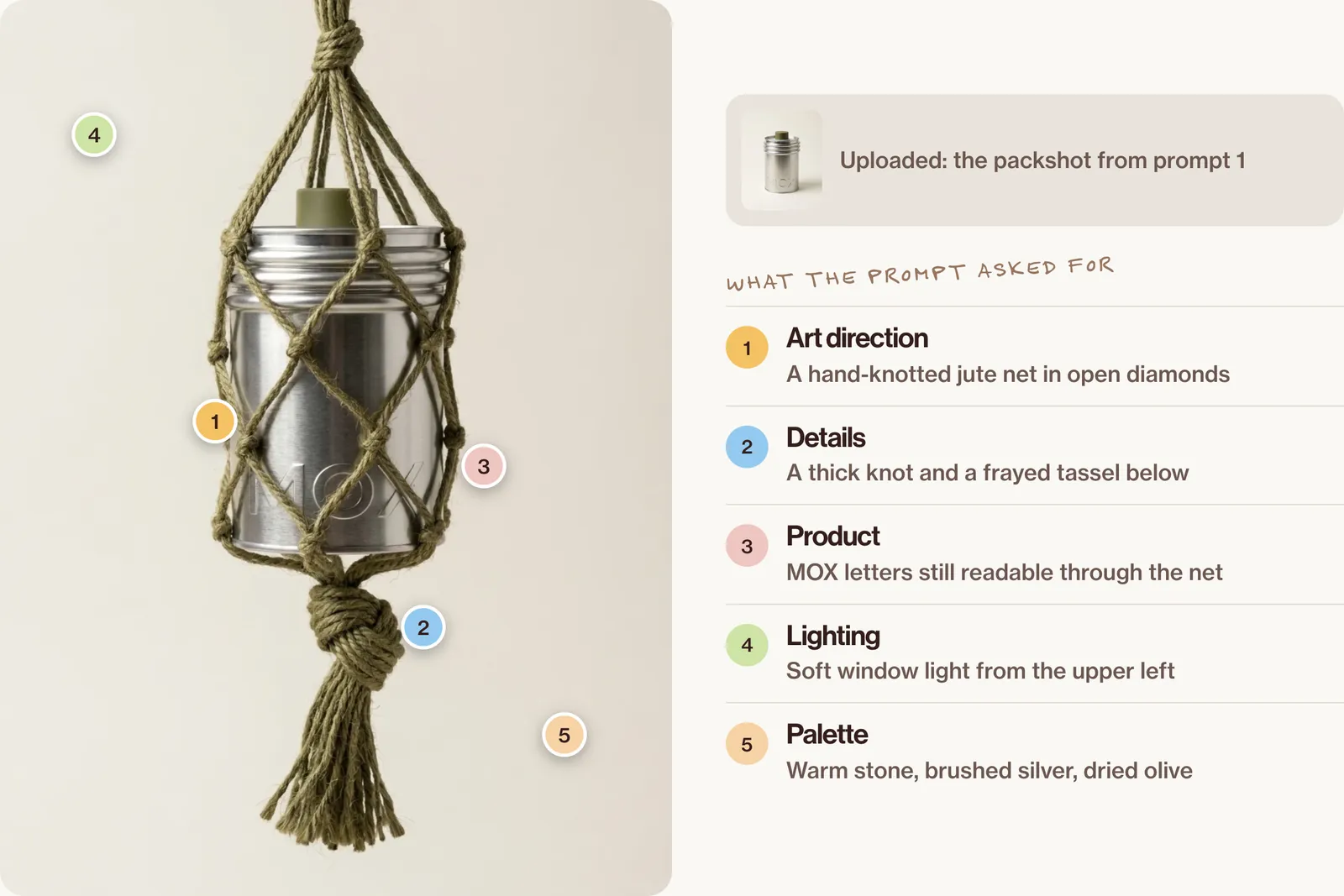
3. A campaign scene: half-sunk in golden oil
Using this photo as the exact reference for the tin, show it sinking at a slight tilt into a pool of clear golden olive oil, about half of it below the surface. Under the surface the metal and the "MOX" letters are seen through the oil, warmed to amber and gently bent by refraction; above it, the ridged rings and the olive cap stay dry and crisp. A soft ring of ripples spreads out from the tin, with a few tiny air bubbles rising beside it. Keep the tin exactly as it is: the same shape, brushed silver, olive-green cap and embossed letters. Background: a warm cream wall that fades into soft shadow at the top. Palette: golden olive, amber, cream and brushed silver. Lighting: one warm light from behind and slightly above, glowing through the oil, a soft fill from the front so the letters stay readable, a bright highlight along the rim of each ring. Photography: 100mm macro lens just above the surface of the oil, looking slightly down, vertical 4:5, the tin centred, focus on the line where metal meets oil. Mood: rich, slow, sensory. Post-processing: warm natural colour, deep but clean shadows, fine grain, no glow.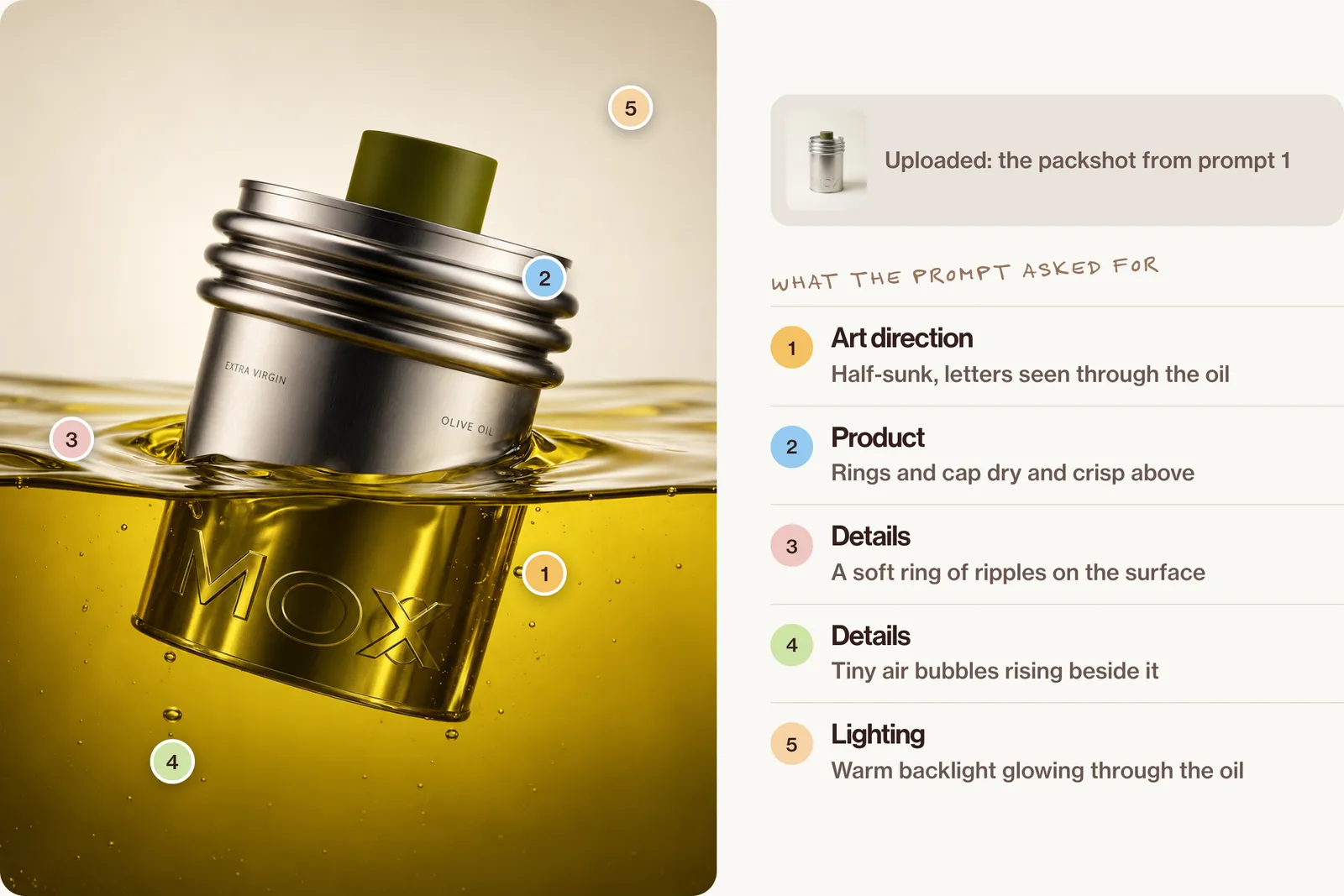
4. Relight only
Keep this image exactly as it is, the same composition, tin and props, and change only the lighting to warm evening lamplight from the right, with a soft glow along the edge of the tin and longer shadows.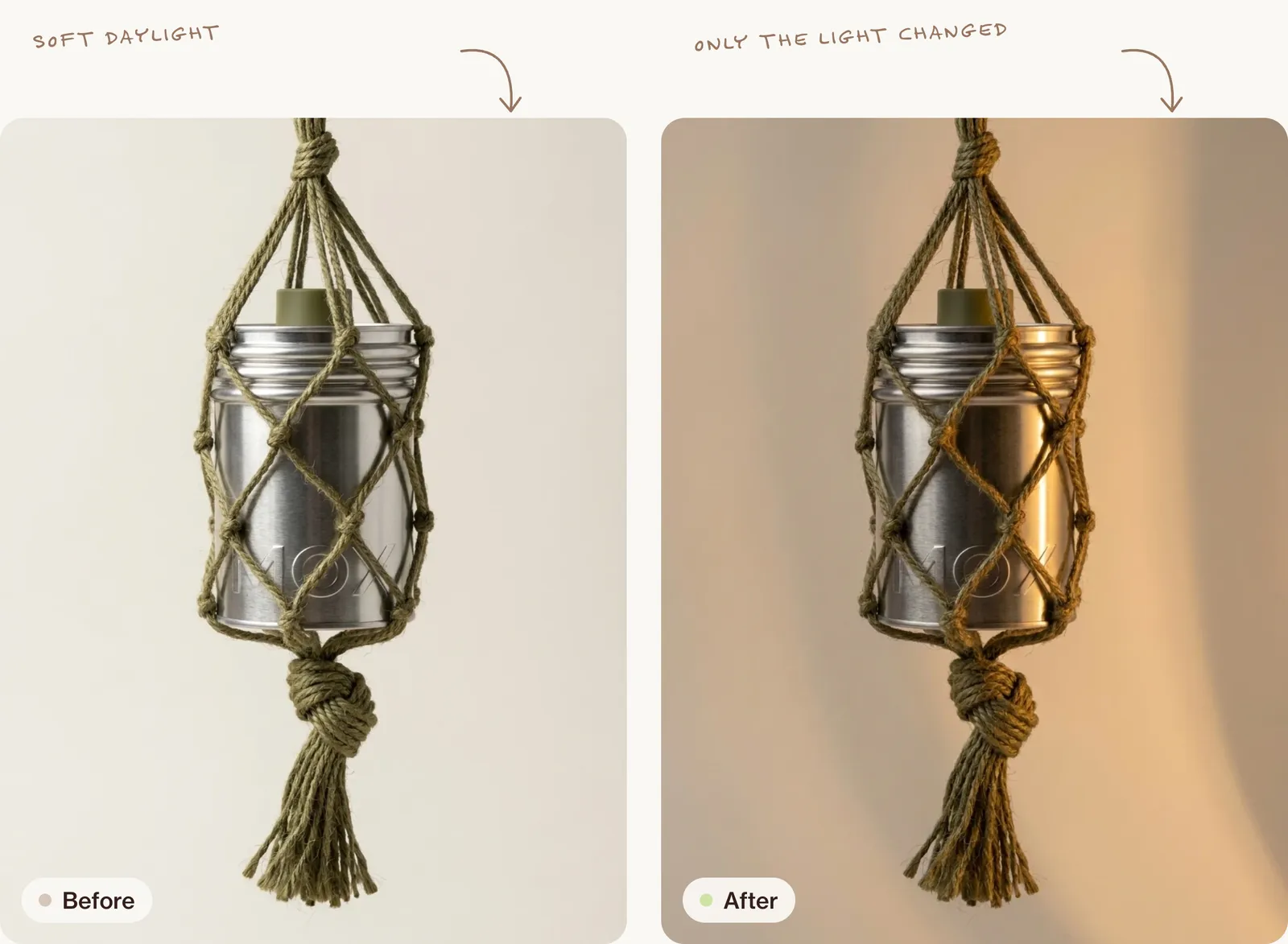
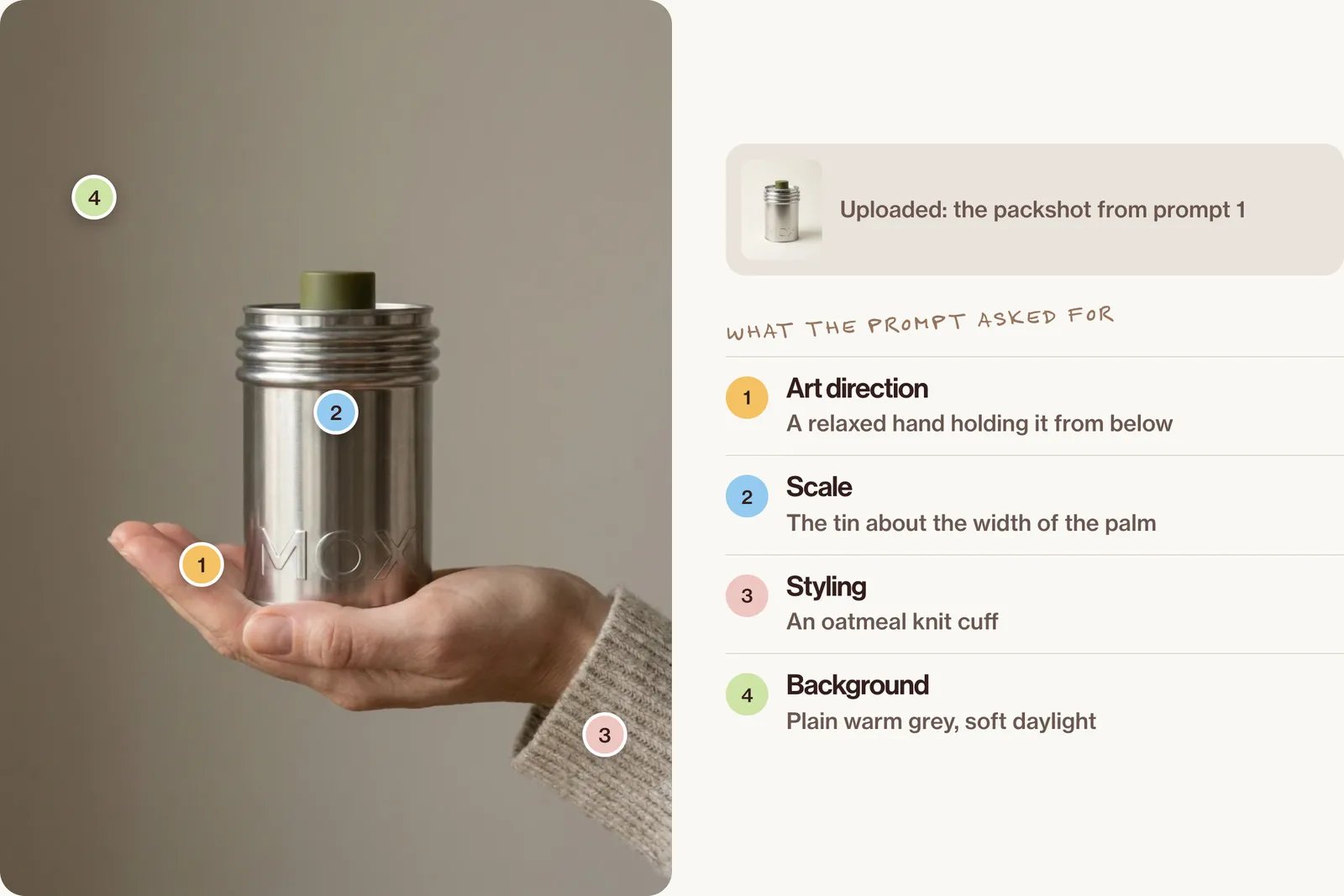
5. Add a hand at the right scale
Add a hand holding this tin from below at chest height: a relaxed adult hand with short natural nails and an oatmeal knit cuff. The tin is about the width of the palm. Keep the tin, its lettering and its colour exactly the same. Plain warm-grey background, soft daylight.Scale is a common failure: check the product's size against the hand before you use the image.
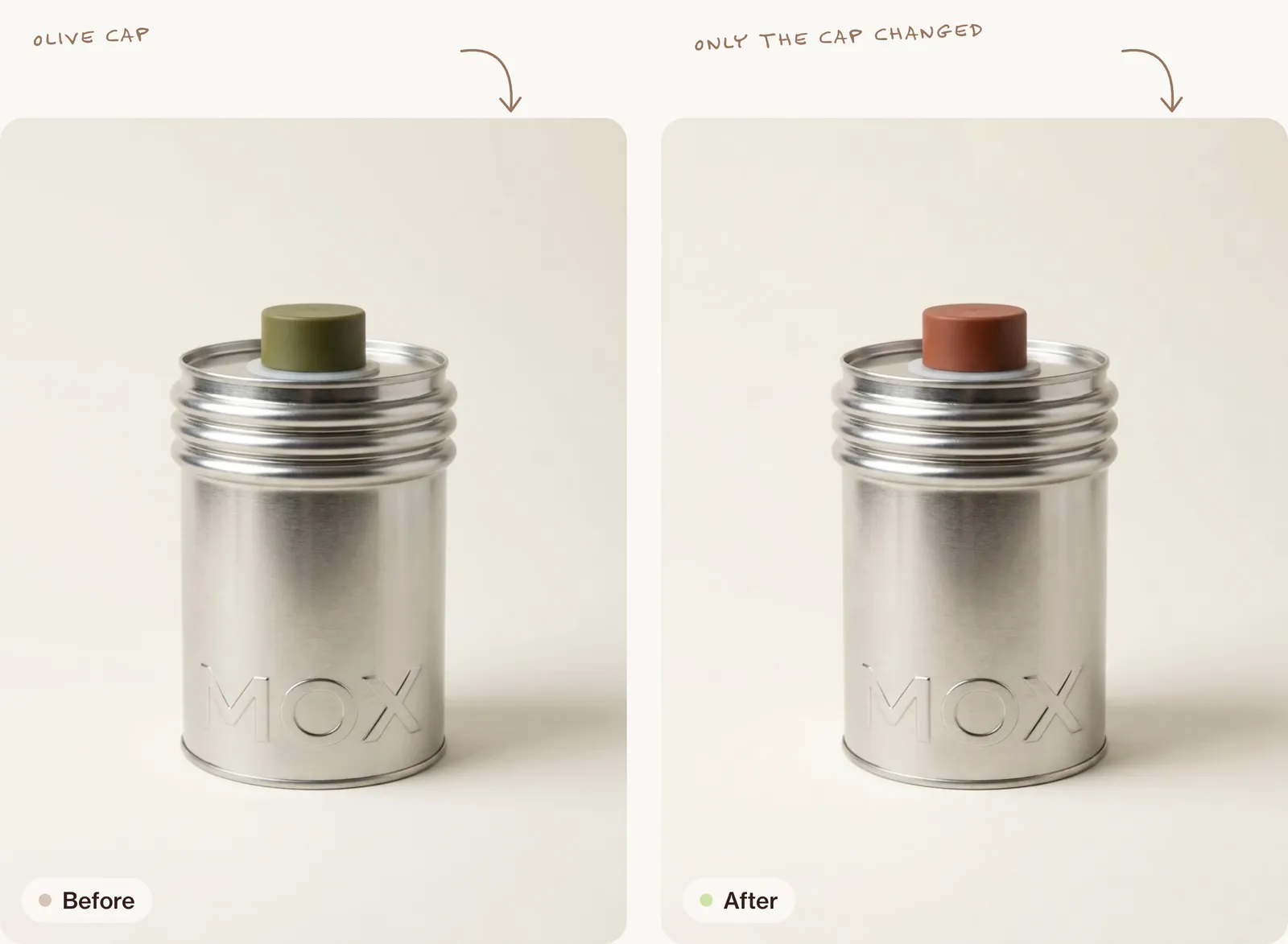
6. A colour variant for a product range
Show this same tin in a second colourway: the cap changes from olive green to deep terracotta. Keep the tin's shape, the brushed silver, the embossed "MOX" letters, the lighting and the background exactly the same.Only show colourways you actually sell. For a full campaign from one product, see AI product photography.
Nano Banana prompts for people and consistent characters
Keeping a consistent character in Nano Banana comes down to giving it a strong reference and saying, every time, which features must not change. Use your own photo or a consenting person's, never a real person who hasn't agreed.
7. Same person, new scene
Using the woman in this photo as the exact reference for her face, hair and features, show her sitting at a small marble table by a tall café window on a rainy afternoon, reading a worn paperback held in both hands, a half-finished cappuccino and a folded umbrella beside her. She wears a navy wool coat over a cream ribbed jumper and a thin gold chain. Rain streaks the glass behind her; the street outside is a soft blur of grey with the warm lights of a shop across the road. Keep her face, hairline, eye colour, skin tone and any freckles or marks exactly as in the photo, with real skin texture: fine pores, faint marks, no smoothing. Lighting: soft grey daylight from the window on her left, a warm glow from a pendant lamp above, gentle shadows under her cheekbones. Photography: 50mm lens at f/2, seated eye level from across the table, framed from the waist up, vertical 4:5, her eyes sharp, the window softly out of focus. Mood: quiet, absorbed, unposed. Post-processing: natural muted colour like a film photo, soft contrast, fine grain.8. A new angle for a set
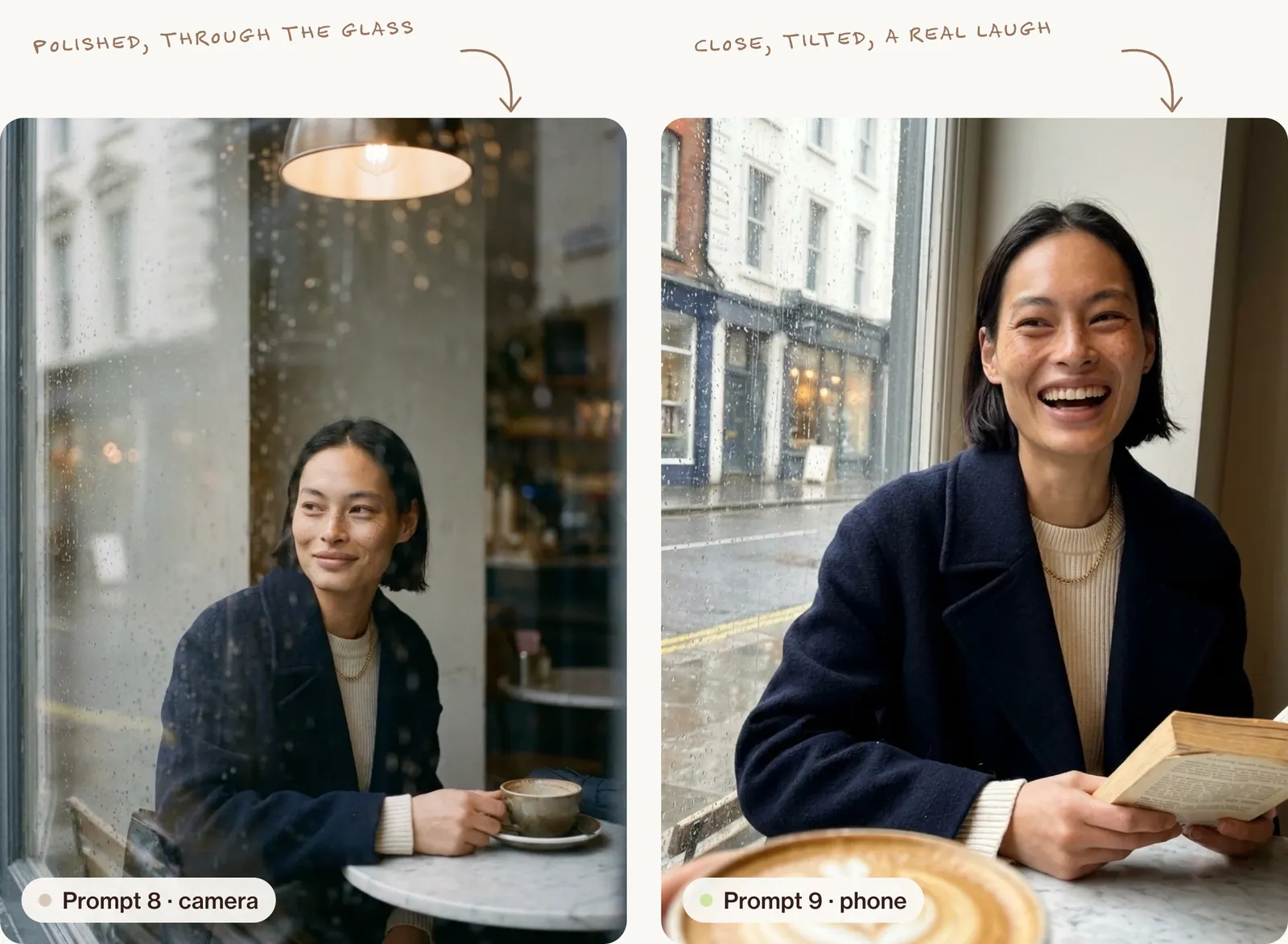
Show the same woman in the same café, with the same coat, jumper and light, now seen by a camera standing beside the table: a three-quarter angle from slightly above, as she lowers the book and looks up towards the window with a small half-smile, one hand resting on the cup. Raindrops on the glass in the foreground catch the light, softly out of focus. Keep her face, hair and outfit identical to the previous image. 85mm lens at f/2, vertical 4:5, focus on her eyes, natural skin texture.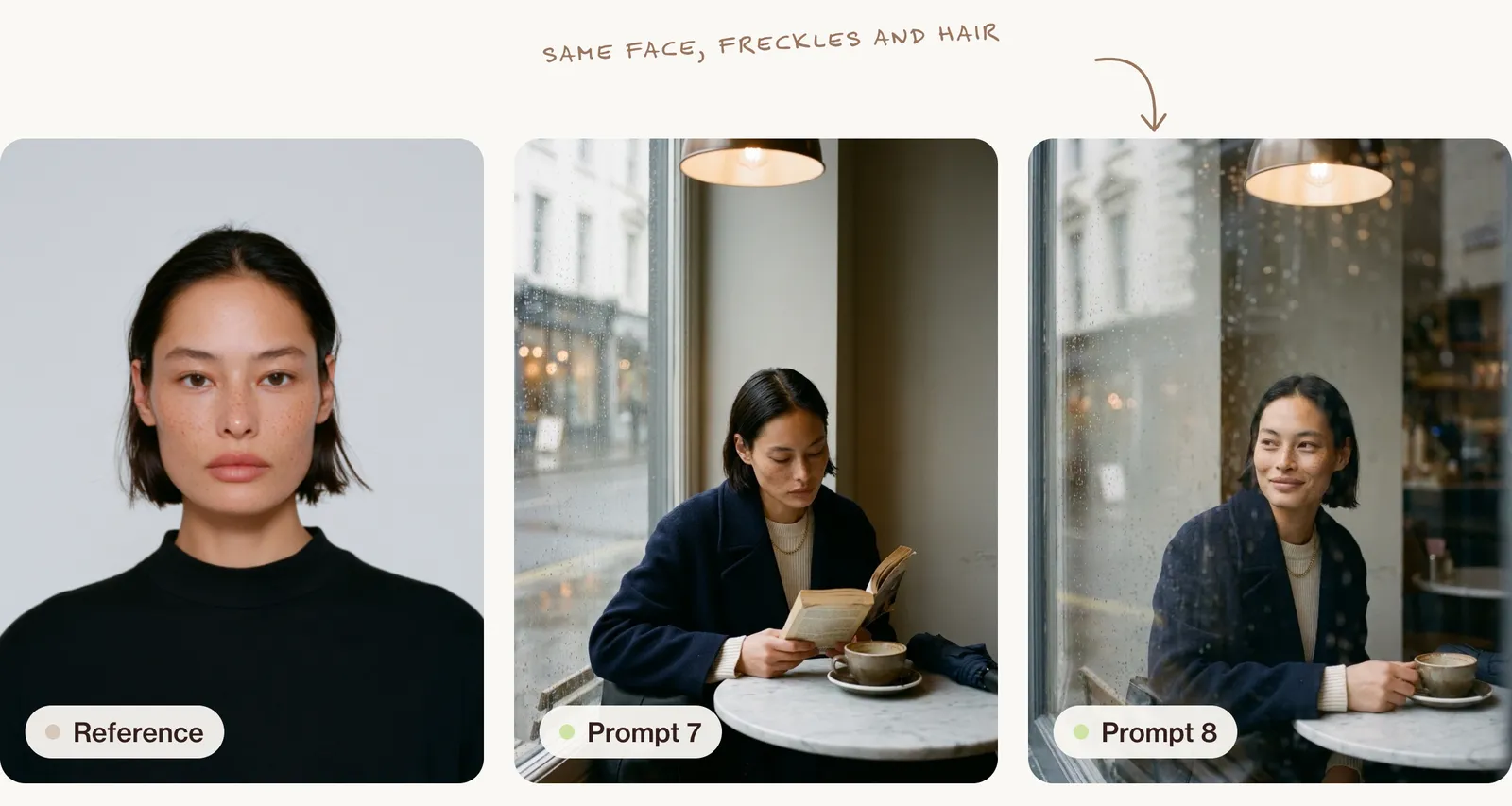
9. The phone-camera version
Recreate this moment as if her friend took it on a phone from across the table: vertical 9:16, held a little low and slightly tilted, the friend's cappuccino blurred in the foreground, the rainy window behind her. She is laughing mid-sentence, looking just past the camera. Phone-camera look: wide lens, almost everything in focus, slightly lifted shadows, a little noise in the darker areas, a touch of glare from the window, no studio polish. Keep her face, hair and coat exactly the same.That last look is the basis of AI UGC ads. If the skin comes back too smooth, see how to fix plastic skin.
Multi-image prompts: a product, a person and a place
Nano Banana can take several reference images at once. Name each one's job.
10. Product, person and location in one image
Image 1 is the product, image 2 is the person and image 3 is the location. Show the person from image 2 sitting at the table in the location from image 3, pouring from the tin in image 1 into a small dish. Keep the tin's shape, colour and lettering exactly as in image 1 and the person's face as in image 2. Match the light to the window in image 3. 4:5 portrait, 35mm lens, natural colour.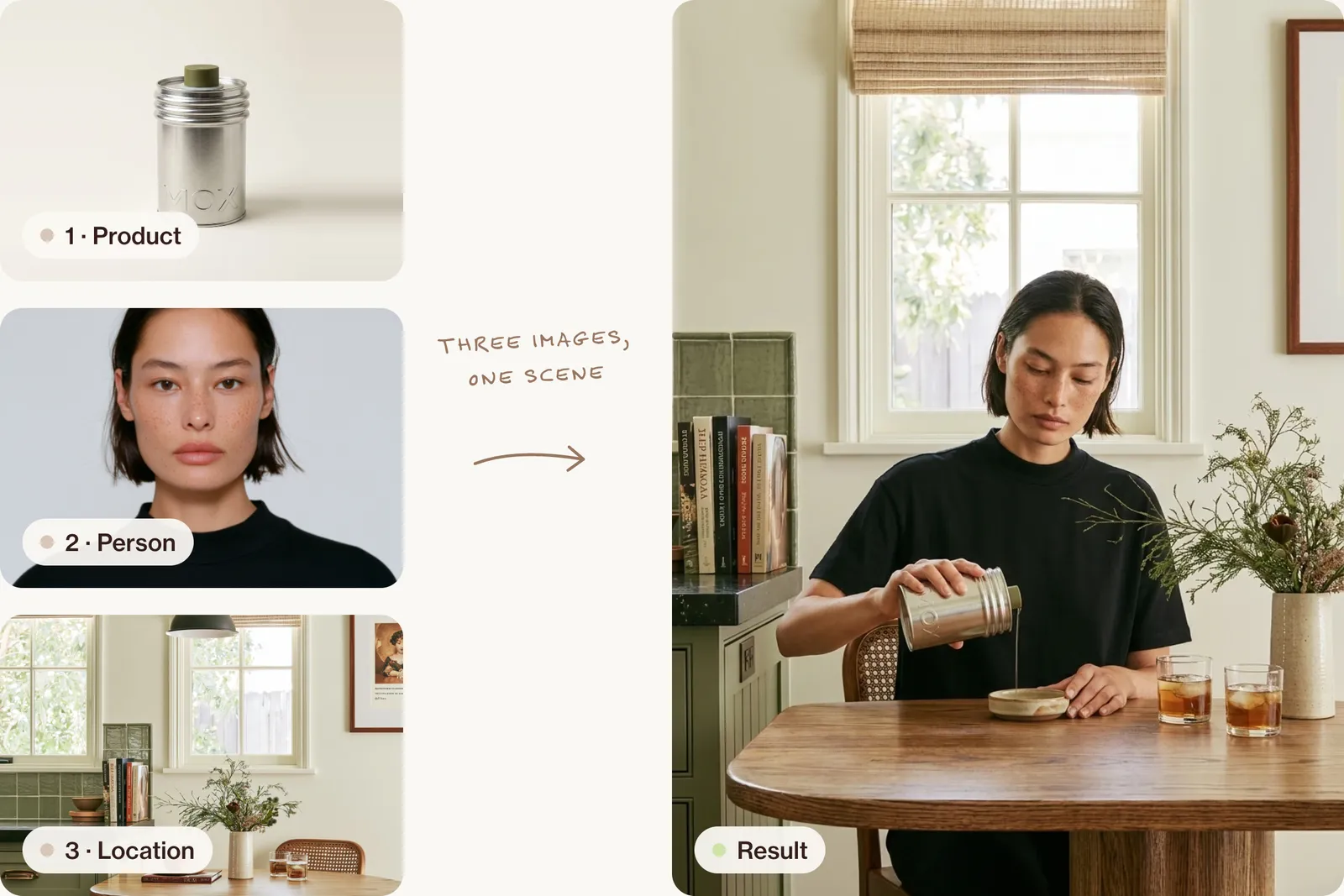
11. A texture reference
Use image 2 only as a texture reference. Place the tin from image 1 on a tablecloth made of exactly this fabric, folded loosely, top-down view. Keep the tin unchanged. Soft overhead daylight.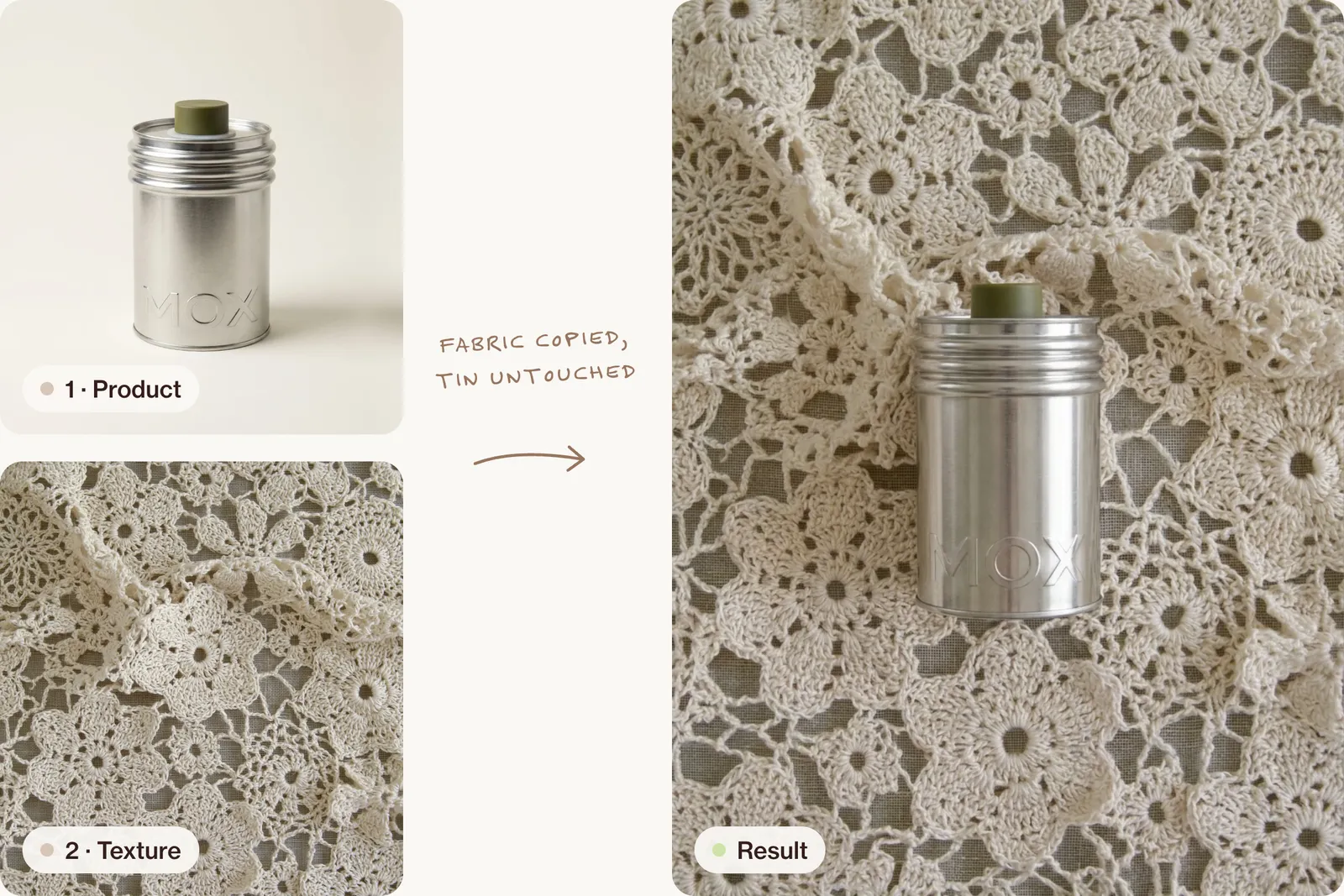
Gemini image prompts: generating from scratch
For new images with no reference, write the full brief. These follow the eight decisions explained in AI image prompts that look like real photos.
Creative direction: a winter launch image for a small knitwear brand that people stop scrolling for. Art direction: a single pair of bright red hand-knitted mittens pegged to a thin washing line strung between two silver birch trees, over an empty snowy field, a light dusting of snow on the top of each mitten. Product material: chunky wool with visible stitches and a few loose fibres, frost crystals caught in the knit, plain wooden pegs, rough cotton line. Palette: tomato red, birch white and grey, snow white and a pale winter-blue sky. Lighting: low winter sun from the left, soft and golden, long blue shadows across the snow. Photography: 85mm lens at mitten height, the mittens in the centre, the birch trunks at both edges, the background softly out of focus, 4:5. Mood: crisp, quiet, warm against the cold. Post-processing: true natural colour, gentle contrast, fine grain, wool texture sharp.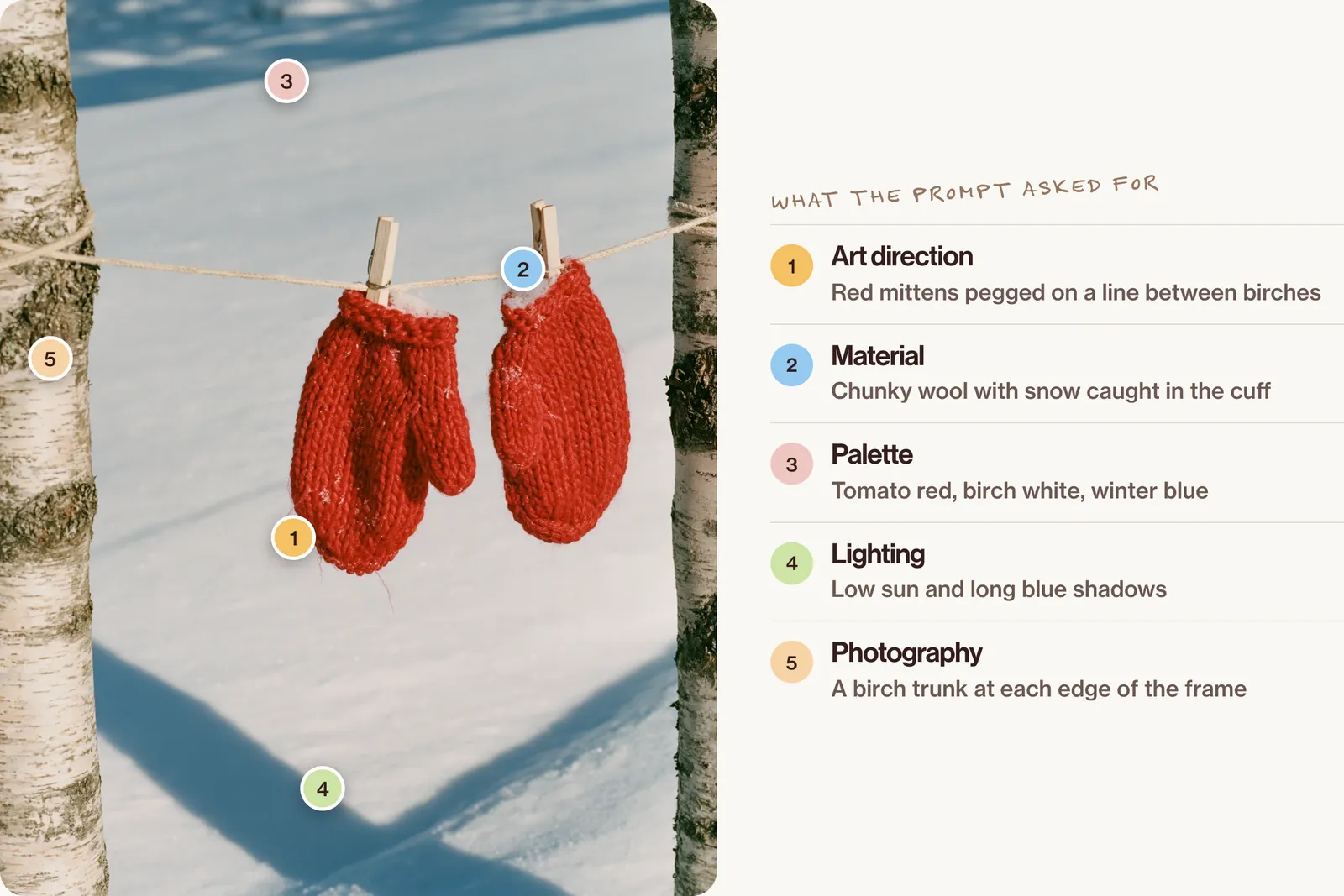
Creative direction: a spring launch post for a florist, bold and graphic. Art direction: one enormous bunch of white ranunculus wrapped in newspaper, standing upright on its own in an empty zinc bucket in the middle of a pale pink seamless studio, cut stems and petals scattered in a neat circle on the floor around it. Product material: soft layered petals, a few slightly bruised, green stems with water droplets, crumpled newsprint. Palette: white, pale green, newsprint grey, zinc and blush pink. Lighting: soft daylight from a high window on the left, one long soft shadow across the floor. Photography: straight-on at bucket height, 50mm lens, 4:5, everything sharp. Mood: fresh, crisp, just arrived. Post-processing: true colour, gentle contrast, no glow.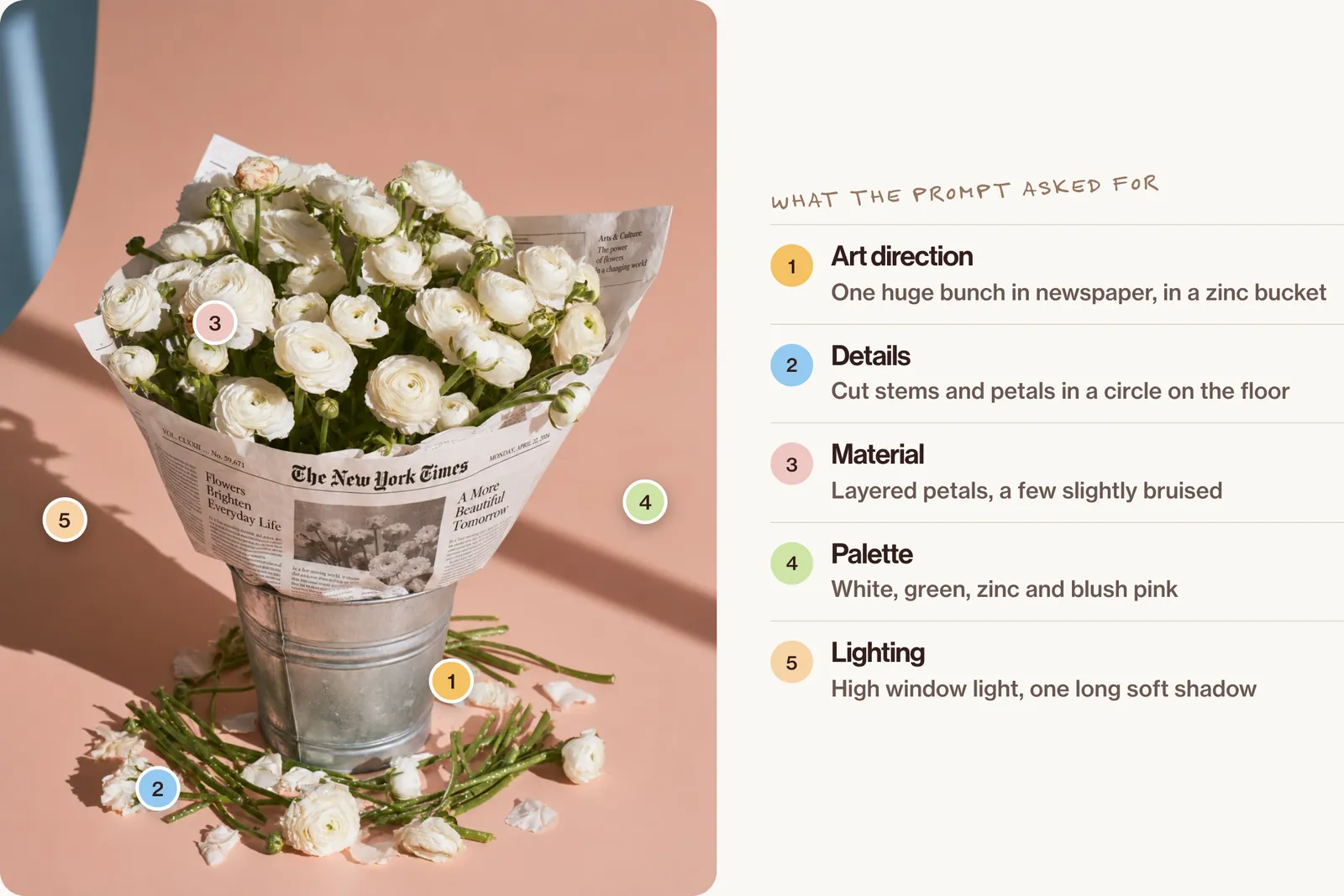
When Nano Banana edits go wrong
| Problem | What to do |
|---|---|
| The face drifts | Re-upload the original portrait, not the latest edit, and list the features to keep |
| The label is redrawn | "Keep the label exactly as in image 1, letter for letter"; if it still changes, start from a cleaner packshot |
| The colour shifts | Name the exact colour and say "match the colour in the reference photo" |
| Everything changes | Ask for one change only and start with "Keep this image exactly as it is" |
| Low resolution | Choose a higher output size in the tool, or upscale gently afterwards |
| The aspect ratio is ignored | Put the ratio at the start of the prompt, or set it in the tool |
For the wider list of tells, see how to make AI photos look real.
Nano Banana Pro or 2.1 for brand work?
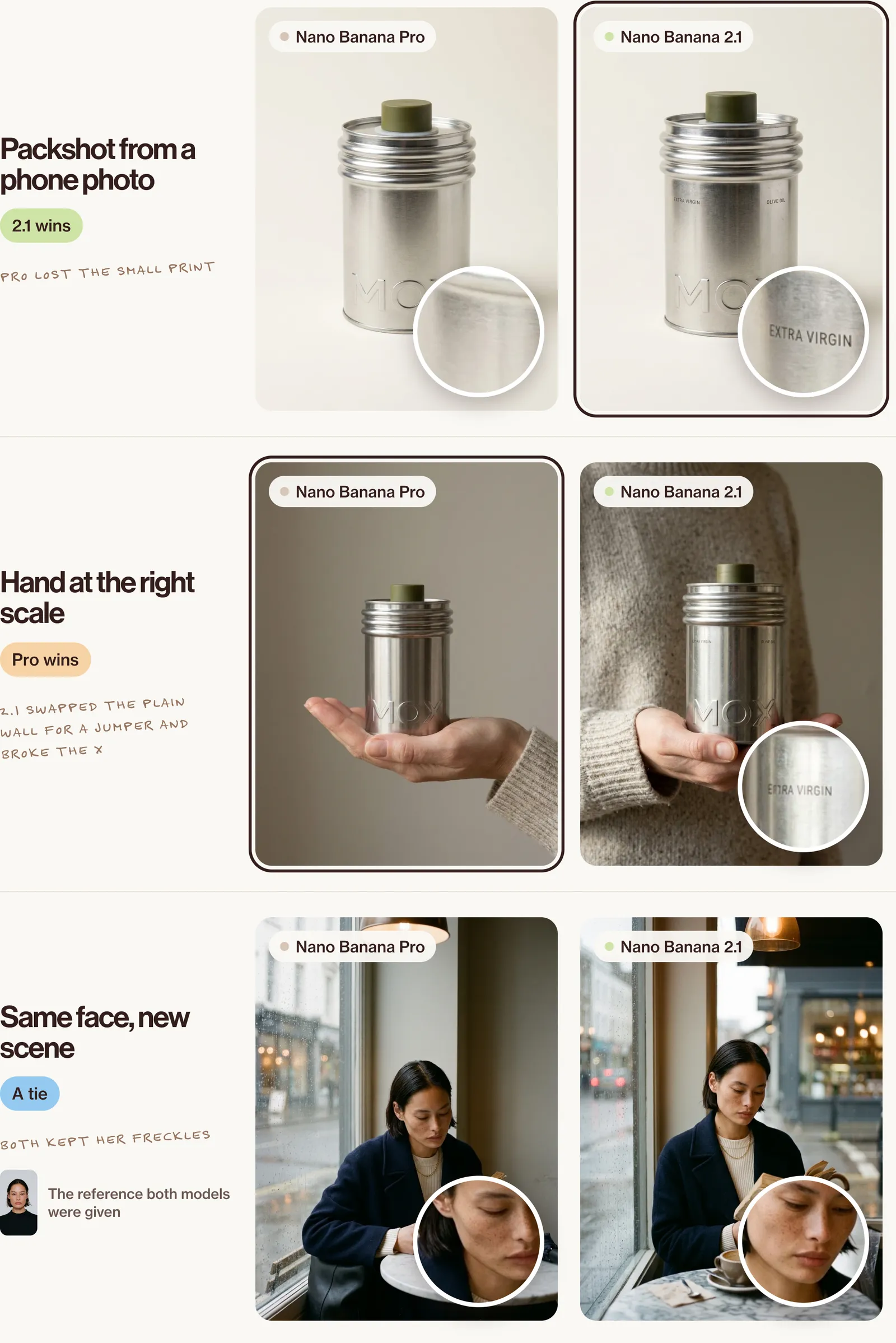
We ran three of the edits above on both models with the same uploads, one try each, in October 2026.
| Job | Nano Banana Pro | Nano Banana 2.1 |
|---|---|---|
| Packshot from a phone photo | Clean, but dropped the small "Extra virgin" and "Olive oil" text | Kept the small text and the embossed letters |
| Hand at the right scale | Followed the brief: plain grey wall, knit cuff, tin about the width of the palm | Good hand and scale, but put a whole jumper behind instead of the plain wall, and broke the X in "Extra" |
| Same person, new scene | Face, freckles, coat and café all as asked | Face kept just as well, with a few extra props |
So, by job: for a packshot where every letter on the label matters, 2.1 did better in our test. For a scene with a detailed brief, Pro followed the brief more closely. For keeping a face, both did well. One try each is a small test, so run your own product through both before you choose.
Watermarks, rights and disclosure
Images made in the Gemini app carry a visible watermark, and Google adds an invisible SynthID watermark to its generated images. Don't remove either. Only upload images you have the right to use, and if you show realistic AI people in ads, follow the platform's labelling rules.
FAQ
What are the best Nano Banana prompts?
Ones that edit a real photo: name one change, list what stays the same and give each reference a role.
How do I keep a face the same in Gemini?
Upload a clear reference, describe the features that must not change, and go back to the original reference when it drifts.
Can I use Nano Banana for virtual try-on?
You can put a garment on a model, but AI can change the fit, fabric and print. Check every image against the real garment; see AI models for your clothing brand.
Is Nano Banana Pro free?
Not on its own. In the Gemini app, free accounts get Nano Banana 2. With a Google AI plan you get Nano Banana 2.1, and you can redo an image with Nano Banana Pro from the menu on that image. Limits depend on the plan and change often, so check Google's overview.
Go further
Nano Banana changes fast, and so does everything around it. Inside New Creator Club you learn the whole toolkit, from images to video, and stay current while others are still copying last year's prompts. Start creating.
Keep reading
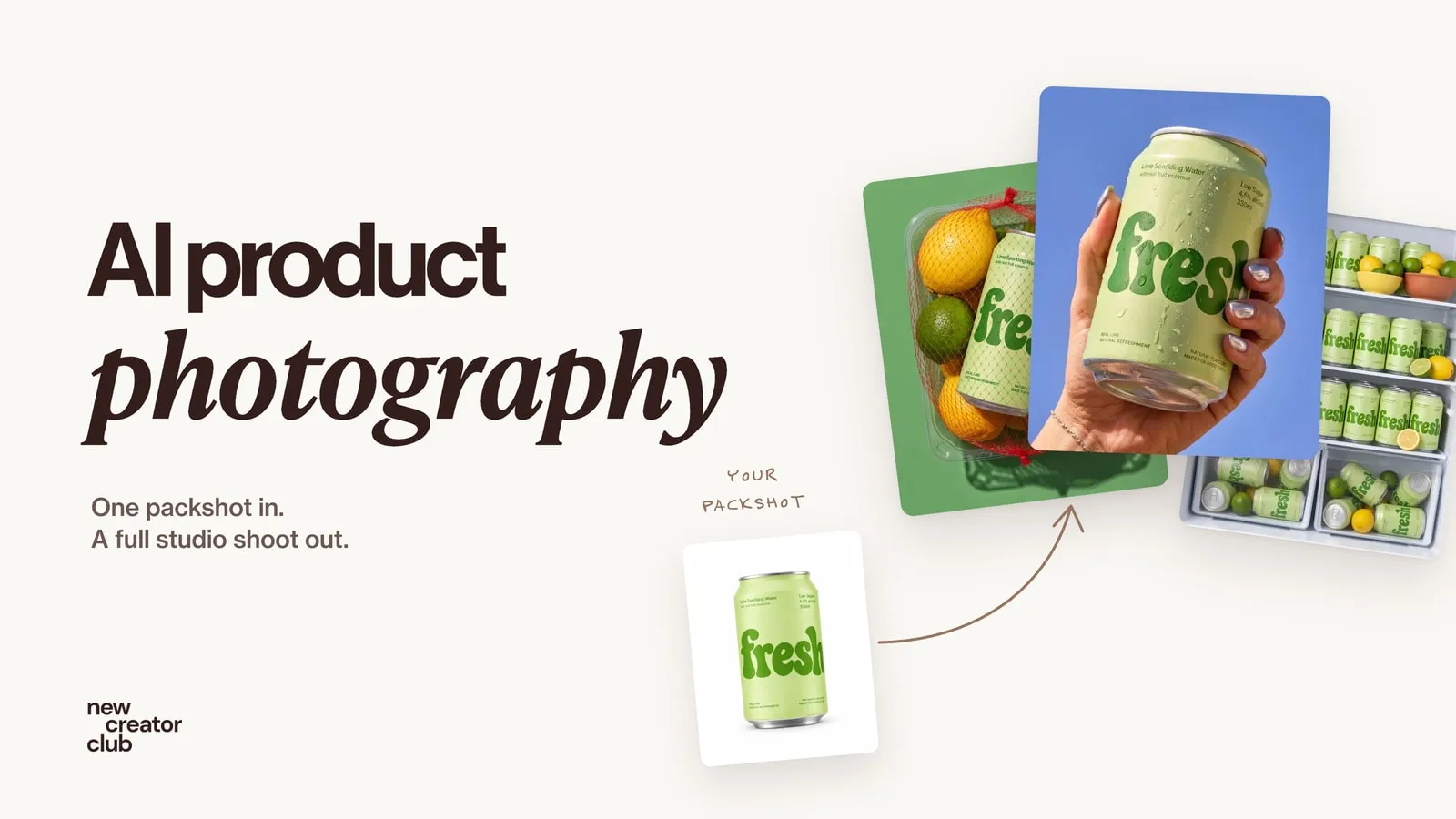
AI product photography: one packshot, a full studio shoot
AI product photography from one packshot: a full studio shoot that keeps the label and colours true, with a worked example, the prompts and the checks.
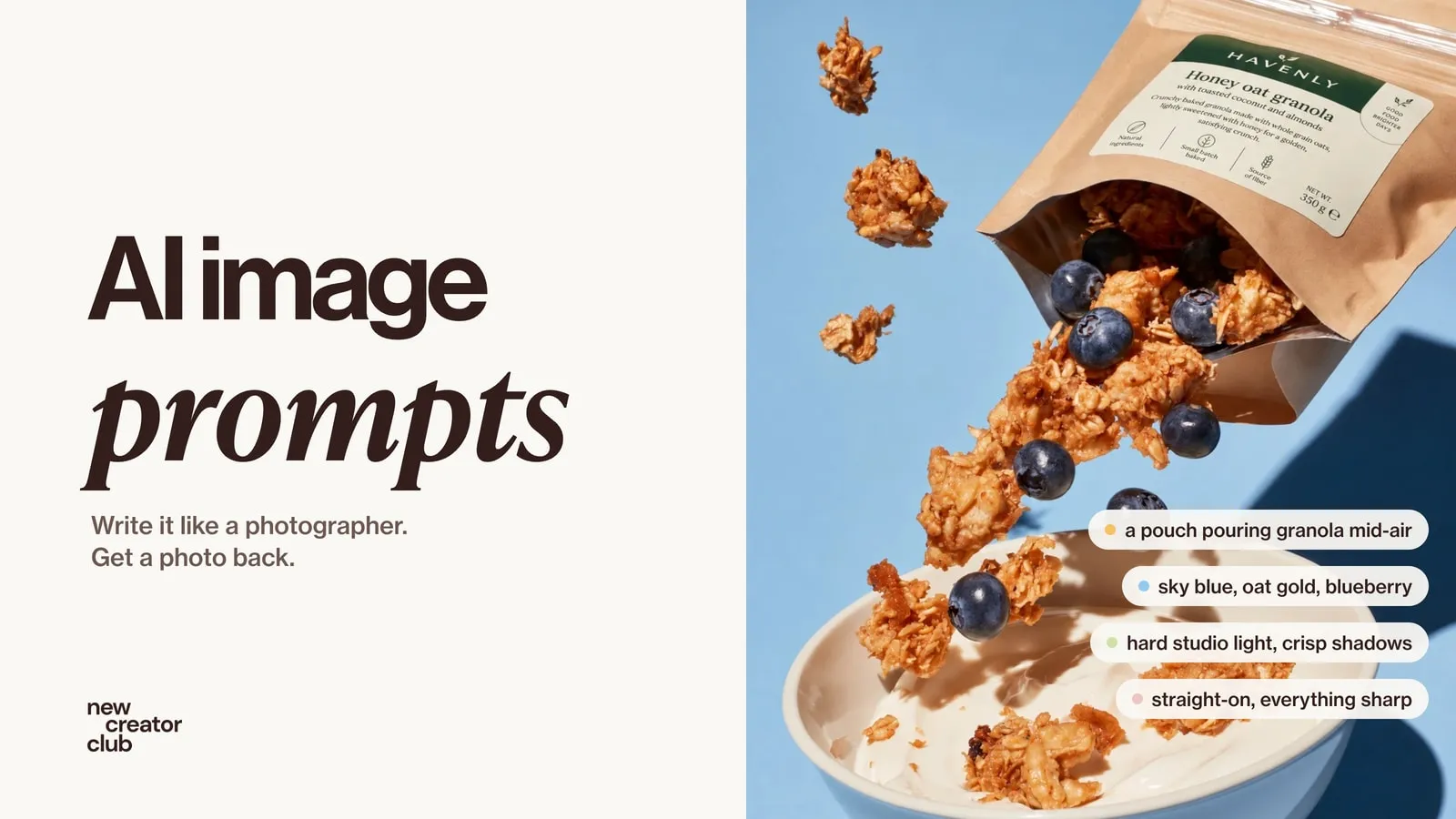
AI image prompts that look like real photos
Write AI image prompts that read like real photographs: an eight-part formula, with original prompts for portraits, products, UGC and editorial.
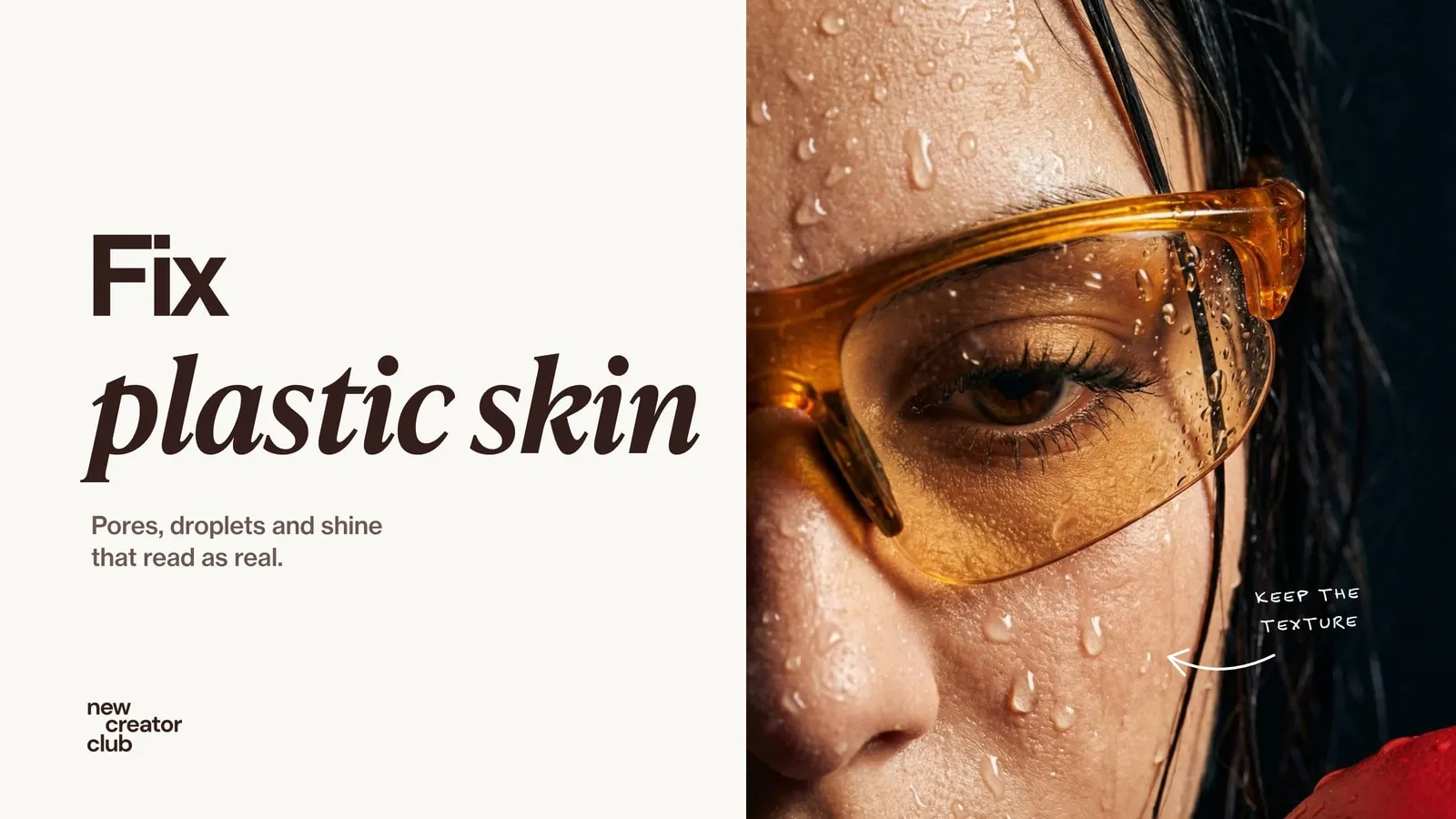
How to fix plastic skin in AI portraits
Realistic skin texture prompts that fix plastic AI skin, plus the light, editing and upscaler settings that keep pores, with close-ups to check against.